Tailscale vs Twingate vs Cloudflare Access vs Zscaler Private Access: A ZTNA Comparison for IT Leaders
Compare Tailscale, Twingate, Cloudflare Access, and Zscaler Private Access on architecture, device posture, encryption, and FedRAMP/FIPS compliance. A vendor-neutral, technical ZTNA comparison for IT leaders replacing legacy VPNs.

Summary:
Tailscale, Twingate, Cloudflare Access, and Zscaler Private Access are the four most commonly shortlisted Zero Trust Network Access (ZTNA) tools, but they split into two architectures: Tailscale and Twingate build direct, peer-to-peer overlay networks, while Cloudflare Access and Zscaler Private Access broker every session through their own edge for inline inspection.
The right choice depends on whether you prioritize low-latency direct connectivity, clientless browser access, self-hosted control-plane sovereignty, or FIPS/FedRAMP-grade compliance.
Your VPN Is Now the Most Likely Way In
The remote-access tunnel you deployed to keep people safe has quietly become the thing attackers target first. In the Verizon 2025 Data Breach Investigations Report, edge devices and VPNs accounted for 22% of the vulnerabilities used to break in, up almost eight-fold from 3% the year before. Only about 54% of those flaws were fully patched, and the median fix took 32 days.
A slow VPN frustrates people every day. A breached one exposes the network behind it, because most VPNs grant broad access once a user is through the tunnel. One stolen credential turns into lateral movement across everything that login can reach.
Zero Trust Network Access reverses that model. It checks identity and device on every connection and grants access only to the specific application a person is authorized to use, never the whole network.
Four tools come up on almost every ZTNA shortlist: Tailscale, Twingate, Cloudflare Access, and Zscaler Private Access. They get grouped together as interchangeable, and they are built on different engineering principles.
The architecture you pick decides how traffic flows, how much you can self-host, which posture signals you can enforce, and whether the tool clears your compliance bar.
This guide compares them on those technical points so you can decide for yourself. For a wider market view, our guide to Zero Trust security vendors covers the category at a higher level.
The Core Architectural Split
Before you compare features, understand the two camps these four tools fall into. That single distinction drives most of the differences that follow.
The Overlay and Peer-to-Peer Model (Tailscale and Twingate)
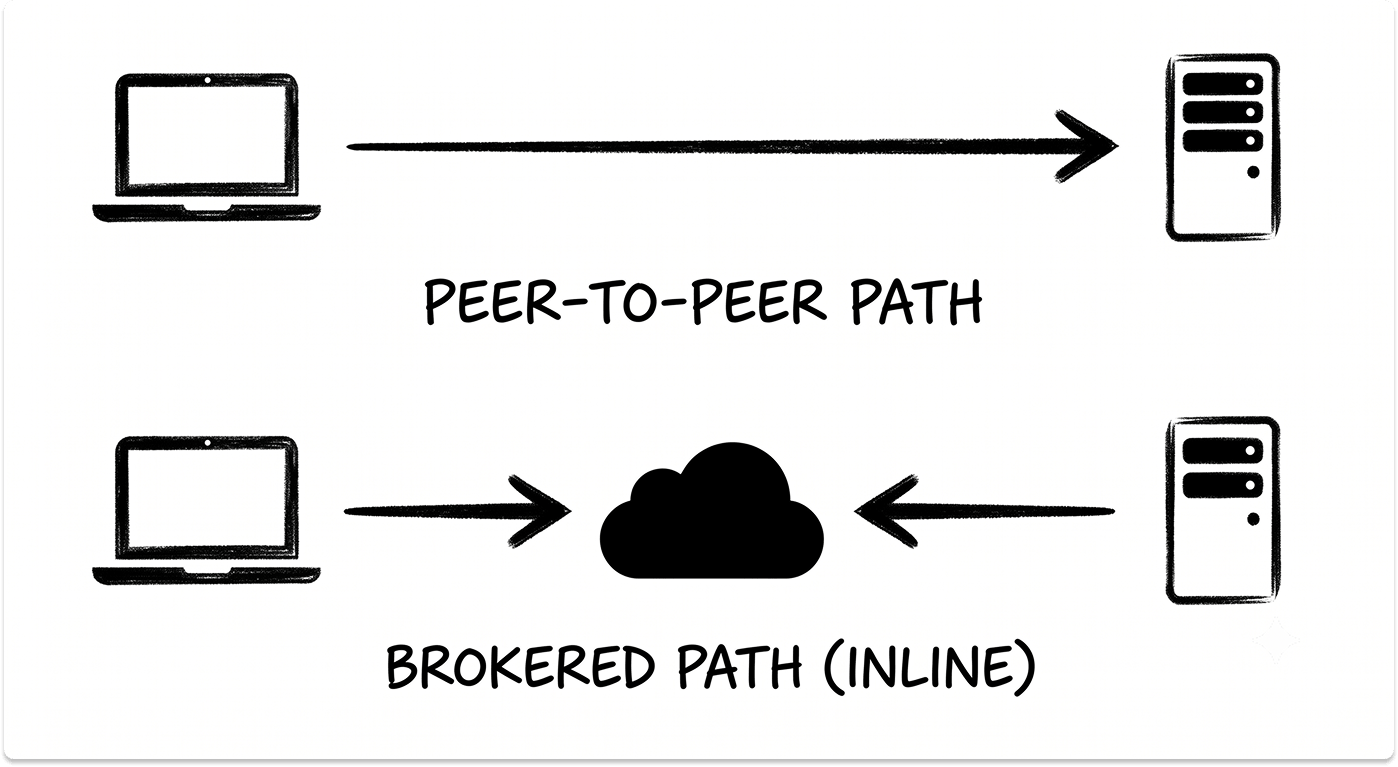
Tailscale and Twingate build a private overlay network and then try to connect your device directly to the resource it needs. A central control plane handles authentication and policy, but it carries almost none of your actual traffic.
The data path is peer-to-peer whenever the network allows it, which keeps latency low and avoids routing your packets through a vendor's cloud.
The benefit is a short, direct path and strong performance. The trade-off is that direct connectivity depends on NAT traversal succeeding, with a relay as the fallback when it does not.
The Broker and Proxy Model (Cloudflare Access and Zscaler Private Access)
Cloudflare and Zscaler act as trust brokers. Your device connects to the vendor's global edge, a connector inside your network connects outbound to the same edge, and the platform stitches the two sessions together. Your application traffic always transits the vendor's network, where it can be inspected and policy applied.
The benefit is inline inspection, a large edge footprint, and integration into a full security platform. The trade-off is that every session takes an extra hop through the edge, which adds latency compared with a direct path.
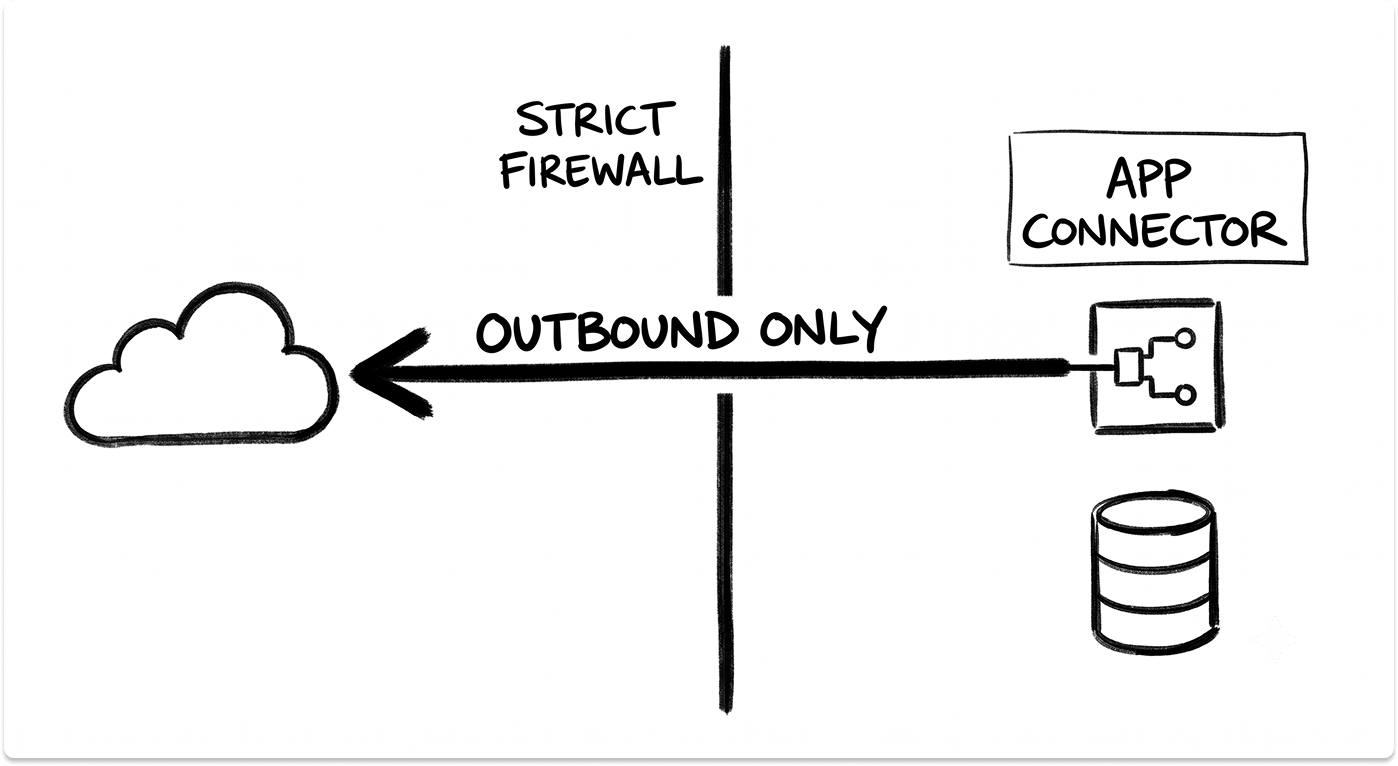
One thing all four share: the connector inside your network only makes outbound connections. None of them require you to open inbound firewall ports, and the broker models keep private apps invisible to the public internet.
Tailscale: A WireGuard Mesh Built for Engineers
Tailscale is a mesh overlay built on the open-source WireGuard protocol. Each device generates its own keys, and the coordination server only distributes public keys and policy. Your traffic does not route through Tailscale's servers. Nearly all of it flows peer-to-peer over end-to-end encrypted tunnels, and private keys never leave the device.
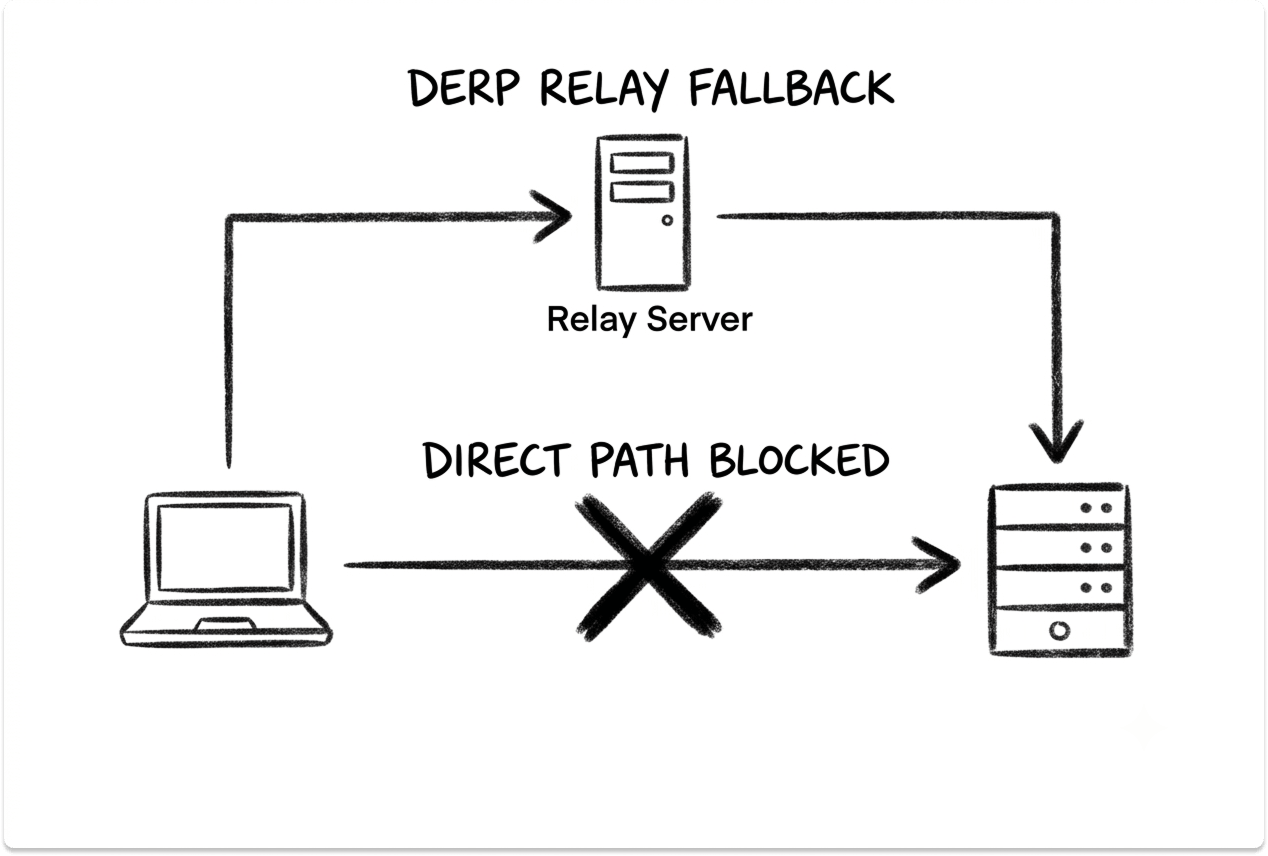
When two devices sit behind restrictive NATs, Tailscale uses STUN and a discovery protocol to punch a direct path. If that fails, traffic falls back to a DERP relay over HTTPS, which forwards only already-encrypted packets and cannot read them.
Tailscale reports internal direct-connection success above 90%, and customers can now run their own relays for dedicated throughput.
MagicDNS assigns every device a name automatically, so you address machines by hostname without running a DNS server.
Access rules live in a deny-by-default policy file, evaluated on every connection, with tags and groups for microsegmentation. Posture signals sync from sources like Intune, Jamf, CrowdStrike, and SentinelOne roughly every 15 minutes.
Where Tailscale Is Strongest
Where Tailscale Falls Short
The WireGuard primitives it relies on cannot be made FIPS-compliant, and Tailscale states this plainly. It holds SOC 2 but no FedRAMP authorization, so it does not fit government workloads that mandate those.
Clientless, browser-based access to resources is weaker than the broker platforms, and a flat mesh rewards teams that write disciplined access rules rather than leaving defaults in place.
Best for: Engineering-heavy teams that want direct connectivity, deep platform coverage, and the option to self-host the control plane for data sovereignty.
Twingate: Least-Privilege App Access Without Re-Architecting
Twingate splits into four parts: a SaaS Controller for policy, a Client on the device, a Connector deployed inside your network, and Relays. The Connector makes only outbound connections, so you deploy it as a container behind the firewall without opening ports or changing your network design.
Twingate attempts a direct peer-to-peer connection between Client and Connector using QUIC, and falls back to a Relay, which works like a TURN server, when direct traversal is blocked.
Traffic is encrypted in transit with TLS, and the client-to-connector path uses a session key shared through the connector's pinned certificate.
Access is resource-centric. You define least-privilege policies per resource and group, with per-port restrictions for TCP and UDP. A user cannot even reach, or ping, a host they are not authorized for, which contains lateral movement by default. Device posture checks cover OS version, disk encryption, and firewall state, with integrations for CrowdStrike, SentinelOne, Intune, and Kandji.
Where Twingate Is Strongest
Where Twingate Falls Short
The Controller and Relays are Twingate-hosted, with no self-hosted control-plane option and no documented customer-selectable data-residency region. Twingate holds SOC 2 Type II but does not use FIPS-validated cryptographic modules, and it carries no FedRAMP authorization. It also does not publish a native in-browser terminal or session-replay feature, which matters if you need recorded privileged sessions.
Best for: Teams that want straightforward, GUI-driven least-privilege access to private apps and can run on a fully SaaS control plane.
Cloudflare Access: Clientless Reach on a Global Edge
Cloudflare Access is the ZTNA module inside the broader Cloudflare One platform. It works as an identity-aware reverse proxy paired with Cloudflare Tunnel. The cloudflared connector makes outbound-only connections to Cloudflare's network and maintains four long-lived connections to two data centers for redundancy.
Its strongest technical trait is clientless access. Users can reach SSH, VNC, and RDP resources rendered in a browser with no agent installed, which suits contractors and unmanaged devices.
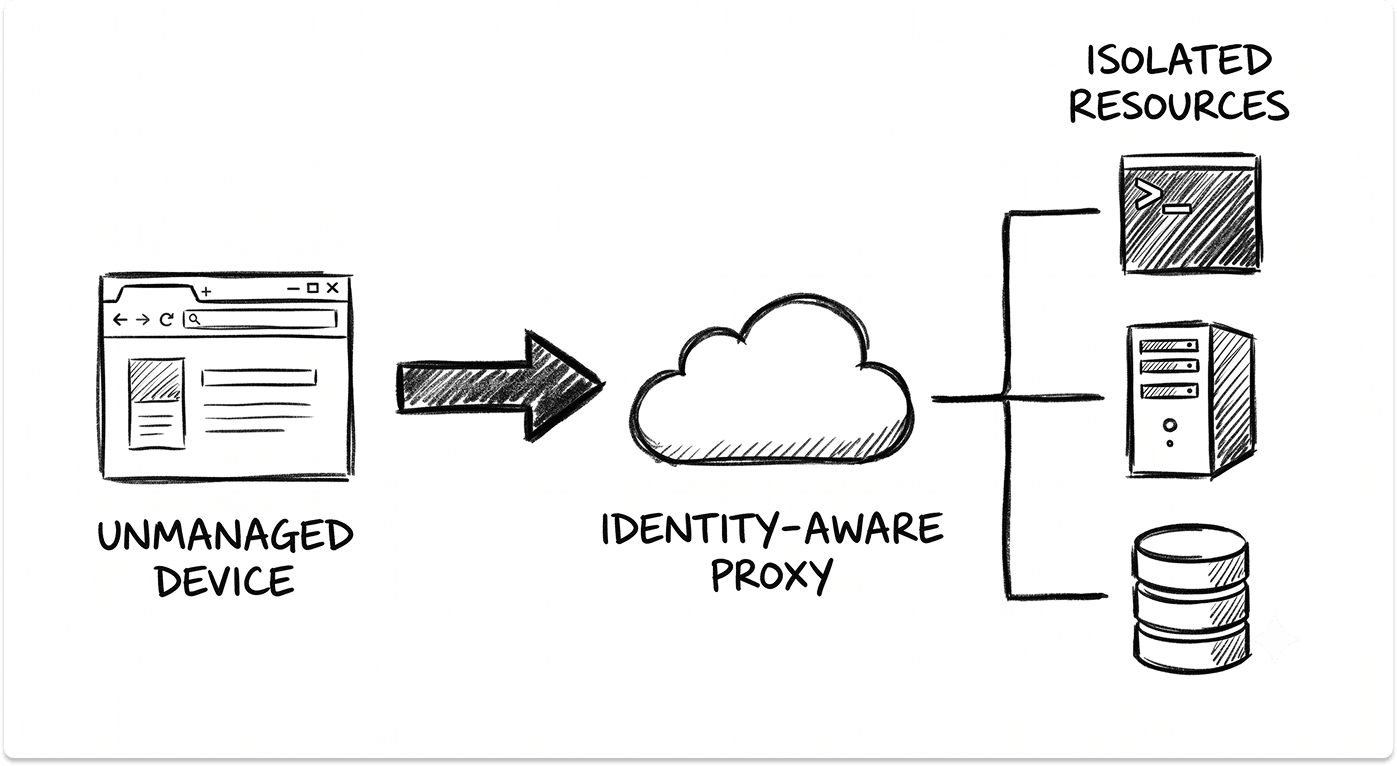
Where an agent is used, the WARP client connects over WireGuard or MASQUE. Access re-evaluates identity and context on every HTTP request, though a failed posture check does not terminate a session already in flight, and posture is cached for roughly five minutes.
Because Access sits inside a full Secure Service Edge, it shares policy with Cloudflare's Secure Web Gateway, CASB, DLP, and browser isolation. That is the same SASE and SSE consolidation logic that pulls teams toward single-vendor platforms.
Where Cloudflare Access Is Strongest
Where Cloudflare Access Falls Short
All traffic transits Cloudflare, so you accept that dependency and, where inspection is enabled, decryption at the edge. Cloudflare for Government holds FedRAMP Moderate authorization, and FedRAMP High is still listed as In Process, so it cannot yet satisfy a High requirement. Live sessions continue even after a posture signal fails, which is a design choice to note if your policy requires immediate cutoff.
Best for: Organizations that need clientless access for contractors and unmanaged devices, and that want ZTNA folded into a broader security platform.
Zscaler Private Access: App-Cloaking for Regulated Enterprises
Zscaler Private Access is the private-app broker on the Zero Trust Exchange. A Client Connector on the device and an App Connector inside your environment each open outbound TLS tunnels to a Service Edge, which stitches the two together for that specific session.
App Connectors never talk to each other and never accept inbound connections, so applications stay dark to the internet and to unauthorized users.
Policy is app-segment based and evaluated top-down at brokering time, using SAML and SCIM attributes, posture profiles, trusted networks, and client type. Because ZPA never places the user on a network, there is no network to move laterally across.
ZPA supports TCP and UDP apps, with clientless Browser Access for web apps and the Client Connector required for protocols like RDP and SSH.
Zscaler's tunnels use mutually pinned certificates that prevent interception, and it offers optional double encryption for higher-assurance segments. ZPA runs on FIPS 140-2 validated modules and holds FedRAMP High and DoD IL5, the strongest compliance posture in this group. As part of a larger platform, it pairs with Zscaler Internet Access for inline web inspection.
Where Zscaler Private Access Is Strongest
Where Zscaler Private Access Falls Short
The broker model adds hops and latency versus a direct path, and enabling double encryption doubles the throughput cost on your App Connectors. SSL inspection is incompatible with the connector's certificate pinning.
Deployment and ongoing administration are the heaviest here, with App Connectors, Service Edges, posture profiles, and policy to configure. Server-initiated and some UDP-heavy protocols can need extra work.
Best for: Large or regulated enterprises that need app-cloaking, inline inspection, and the highest compliance certifications, and that can staff the deployment.
How Identity and Device Posture Actually Differ
Every tool here authenticates against your existing identity provider using SAML or OIDC, with SCIM to provision users and groups. Whether you run Okta, Entra ID, or OneLogin, all four slot in. The real difference is how continuously they re-check trust after the initial login, and how they read device health.
The takeaway is practical. If you need the access decision tied to a live EDR signal from CrowdStrike or SentinelOne, all four can read it, but Tailscale and Cloudflare re-check most aggressively.
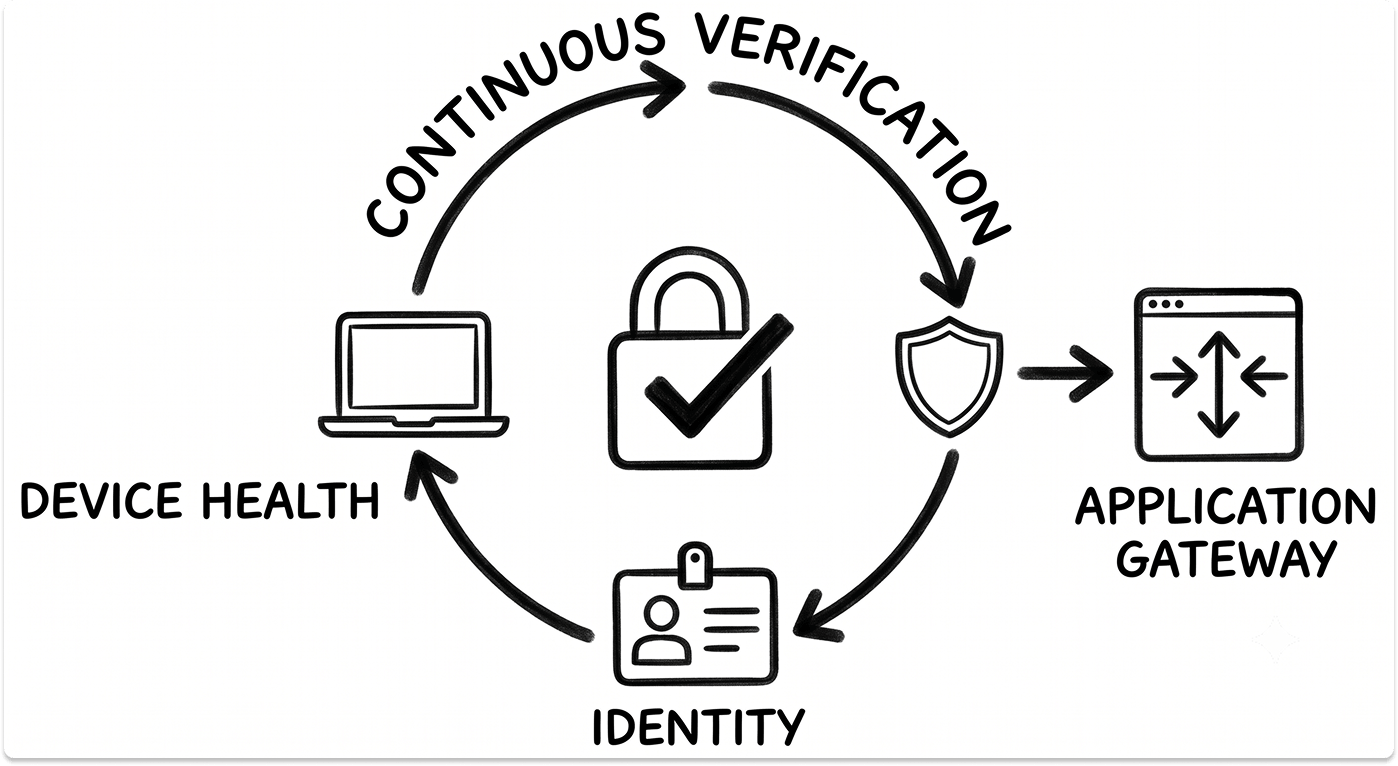
If your requirement is that a device falling out of compliance mid-session gets cut immediately, confirm that behavior in a proof of concept, because per-request checks still may not tear down an active tunnel.
ZTNA in a Mixed Microsoft 365 and On-Prem Environment
Most teams evaluating ZTNA are not fully cloud or fully on-prem. They run Microsoft 365, they have moved identity from on-prem Active Directory to Entra ID, and they still keep a few servers or line-of-business apps in a data center. All four tools handle this, with different mechanics.
For identity, each authenticates against Entra ID over SAML or OIDC and reads Intune compliance state as a posture input. For device management signals from Intune, Jamf, or Kandji, all four can gate access on managed and compliant status.
Reaching the on-prem side is where they differ:
This is the trigger a lot of teams are living: staff work from home and through Microsoft 365, while the login and access setup still assumes everyone is inside the building.
The VPN becomes the thing slowing everyone down and the widest opening at the same time. That is the same reason many teams are replacing Cisco AnyConnect and similar concentrators with ZTNA, and it maps directly to the principles of a zero trust architecture: verify every connection, grant only what is needed.
Compliance and Encryption: What Regulated Teams Must Check
If you operate in a compliance-heavy industry, the certification row often decides the shortlist before any feature comparison. The four tools diverge sharply here.
If an insurer or auditor has made FIPS-validated cryptography or FedRAMP a hard condition, that alone narrows you to Zscaler for High and IL5, or Cloudflare for Moderate.
If sovereignty or an air-gapped deployment is the driver, Tailscale with Headscale is the only self-hosted control plane in this set. Confirm current status directly with each vendor at evaluation time, because authorizations change.
Use This Questionnaire to See Which ZTNA Tool Suits You
A Decision Framework
Use these questions to align the tool with your environment rather than a feature checklist.
Head-to-Head Technical Comparison
Closing Thoughts
There is no single best ZTNA tool among these four. The right one depends on your architecture, your compliance bar, and the size of the team that has to run it.
Run a proof of concept with at least two of these before you commit. Test them on the operational realities that datasheets skip: break a policy and fix it, fail a device's posture mid-session and watch what happens, and measure the latency your users actually feel. That test tells you more than any feature grid.
Looking for ZTNA partners?
If your VPN renewal is on the calendar, or remote access has become the thing slowing your people down, it is worth seeing your options before you commit to one architecture. Explore our catalog of pre-vetted vendors and talk to them only when you want to. It is free and private.
FAQ
Is ZTNA a full replacement for a VPN?
For remote access to specific applications, yes. ZTNA grants access to individual resources rather than placing a device on the network, which removes the broad access that makes a breached VPN so damaging. Some teams keep a narrow VPN path for a handful of legacy cases while moving the bulk of access to ZTNA.
Which of these keeps traffic off the vendor's network?
Tailscale and Twingate prefer a direct peer-to-peer path and only relay when NAT traversal fails. Cloudflare Access and Zscaler Private Access always route session traffic through their edge, which is what enables inline inspection.
Do any of them require opening inbound firewall ports?
No. All four use outbound-only connectors, so nothing inside your network listens for inbound connections from the internet. The broker models also keep private apps invisible to unauthorized users.
Which is best for a regulated environment?
Zscaler Private Access holds FIPS 140-2 validation, FedRAMP High, and DoD IL5. Cloudflare for Government holds FedRAMP Moderate with High listed as In Process. Tailscale and Twingate hold SOC 2 but neither is FIPS-validated or FedRAMP-authorized. Confirm current status with each vendor.
Can I self-host the control plane?
Only Tailscale offers a self-hosted control plane, through the open-source Headscale project, while using the official clients. Zscaler offers an on-prem Private Service Edge for brokering, but the control plane stays vendor-managed. Twingate and Cloudflare run SaaS control planes.
Do they work with Entra ID and Intune?
All four authenticate against Entra ID over SAML or OIDC and can read Intune compliance state as a device-posture signal, alongside integrations with EDR tools like CrowdStrike and SentinelOne.