Intune vs Jamf Pro vs Kandji (Now Iru): Apple MDM Comparison Guide for IT Leaders (2026)
Compare Microsoft Intune, Jamf Pro, and Kandji (now Iru) for Apple device management in 2026. Includes Mosyle, Addigy, and Apple Business Essentials. A Mac MDM comparison covering architecture, automation, compliance, and deployment model.

The Apple MDM decision used to follow a simple rule: Intune for Windows, Jamf for Macs. Three things have disrupted that device management experience in 2026.
Microsoft has closed several of the gaps that made Intune a second-class citizen for Mac management. Kandji rebranded as Iru in October 2025 and is now a fundamentally different product.
And the vendor field has expanded, with Mosyle, Addigy, and Apple Business Essentials each serving specific environments that Jamf and Iru are not optimised for.
Three variables determine the right platform for your environment:
- Fleet composition. A pure Apple fleet has different requirements from a mixed Windows and Mac environment. Platforms built exclusively for Apple deliver more depth. Platforms built for both deliver more consolidation.
- Team capacity. Jamf Pro rewards dedicated Mac administrators who can build custom workflows. Iru and Mosyle are built for lean IT teams that need automation to do the heavy lifting.
- Compliance requirements. SOC 2, ISO 27001, and CIS benchmarks drive MDM decisions in regulated environments. Some platforms reach audit readiness in days. Others require weeks of configuration.
Three platforms dominate the enterprise shortlist: Microsoft Intune, Jamf Pro, and Iru (formerly Kandji). All three are covered below with architecture, key capabilities, and the specific environment each is built for. Mosyle, Addigy, and Apple Business Essentials are covered in the alternatives section.
How do These Platforms Communicate with Devices?
Microsoft Intune
Intune manages Windows, Mac, iOS, and Android devices from a single console. It has historically relied on polling intervals, where the device checks in on a schedule and applies new policies over several hours.
Microsoft is actively transitioning Intune to Apple's Declarative Device Management (DDM) framework, which shifts control to the device itself rather than waiting for server commands.
As of March 2026, DDM now applies to software update configurations across macOS, iOS, and iPadOS, and app installation status reports immediately on change rather than at the next check-in. The polling gap is narrowing but has not been fully closed.
Jamf Pro and Iru
Both platforms maintain a persistent connection to the device and apply settings almost instantly. They support new macOS releases on the same day Apple ships them.
Jamf Pro adopted DDM for software updates in version 11.8, using Apple's modern management framework for OS patching.
Iru uses a single lightweight agent across Apple, Windows, and Android, applying the same real-time enforcement model across all three platforms.
Microsoft Intune
Best for: Organisations where Macs are a minority of the fleet, or where cost consolidation across Windows and Mac in a single console is the primary goal.
Intune is a functional choice for Mac management in 2026. It makes sense for organizations that want to manage all devices in one place and accept that the Mac experience will be less flexible than with a specialized tool.

Technical Capabilities
- Platform SSO: Intune supports Platform SSO natively. Users sign in to their Mac with Microsoft Entra ID credentials and Touch ID. Local Mac passwords stay in sync with the cloud password without third-party tools.
- Enterprise App Management: A paid add-on that automates patching for third-party apps including Zoom, Chrome, and Slack. Provides a secure pre-packaged app catalog. This was a significant weakness in earlier versions of Intune and is now a credible solution.
- macOS Recovery Lock: As of March 2026, Intune can set and rotate recovery OS passwords on Apple Silicon Macs via policy. This prevents users from bypassing MDM through recovery mode and satisfies STIG compliance requirements.
- Apple DDM support: Intune now applies DDM-based policies with assignment filters, scoped by OS version, device model, and other attributes. The transition from legacy polling commands to declarative management is gradual and ongoing.
- Compliance integration: Intune's strongest Mac capability is its link to Conditional Access. A Mac that does not meet security policies, such as having FileVault encryption enabled, can be blocked from accessing Microsoft 365 services.
Cost Considerations
The base Intune licence is included in Microsoft 365 E3 and E5. Advanced Mac features including Remote Help and Enterprise App Management are paid add-ons. A fully functional Intune stack for Macs typically costs an additional $4 to $8 per user per month on top of the base licence.
It might also be good to note that in a recent cyber attack on Stryker, the hackers weaponized Intune to issue remote wipe commands to all connected devices. This is a "living off the land" technique that turned Stryker's own IT management infrastructure against itself.
Jamf Pro
Best for: Large enterprises with 500 or more Macs that require complex workflows, granular control, and a dedicated Mac administrator.
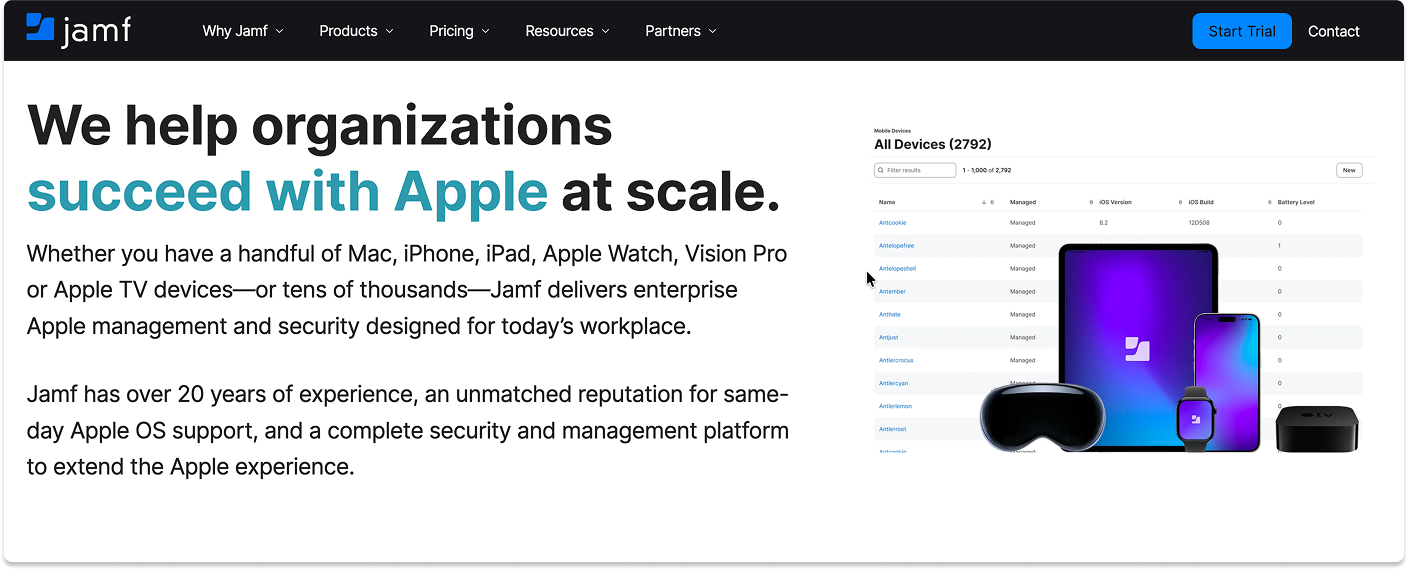
Jamf Pro is the established standard for managing Apple devices at scale. It offers the most detailed control options of any platform in this category and has the largest community of Mac administrators behind it.
Technical Capabilities
- Extension Attributes: Jamf allows you to write scripts to collect any data point from a managed device. You can check whether a specific configuration file exists in a hidden folder and trigger a policy based on the result. No other platform in this category matches this level of custom data collection.
- Smart Groups: Dynamic groups that update automatically. A device enters a group the moment it fails a check, such as low battery health or an outdated OS, and receives the necessary fix immediately.
- Self Service: A customizable internal app store. Users install approved software, run printer mapping scripts, or resolve common issues themselves. This directly reduces support ticket volume.
- App Catalog: Now includes 300 or more pre-packaged app installers. Automated patching for common applications without manual PKG management.
- DDM for software updates: Jamf Pro 11.8 and later use Apple's Declarative Device Management framework for OS updates, moving away from legacy MDM polling commands. This brings Jamf's update mechanism in line with Apple's recommended management architecture.
- Blueprints: Introduced in Jamf Pro 11.22. Configuration groups that apply a defined policy set to a device, similar to the Blueprint model Kandji pioneered.
The Ecosystem
Jamf is rarely sold as a standalone product. Jamf Connect handles login windows and identity for organizations not using Intune Platform SSO. Jamf Protect adds endpoint security that integrates directly with the management console. Budget accordingly.
Kandji (Now Iru)
Best for: Modern, fast-growing companies between 50 and 5,000 employees that want to consolidate MDM, EDR, and identity into one platform.
On October 22, 2025, Kandji rebranded as Iru. This was not a name change. The product architecture changed fundamentally. Understanding what Iru is now is essential before evaluating it alongside Jamf and Intune.
What Changed When Kandji Became Iru
Kandji was an Apple-only MDM with Blueprint-based automation and strong compliance tooling. Iru is a six-product unified platform built on a new underlying architecture called the Iru Context Model. The Context Model builds a continuous map across users, apps, devices, posture, policy, and events. Iru AI uses that map to automate actions, surface insights, and generate audit-ready evidence without manual intervention.
The six products in the Iru platform:
- Workforce Identity: Passwordless SSO using hardware-backed passkeys. Context-aware access to every app without a separate Okta or JumpCloud licence for device login.
- Endpoint Management and Security: Device management across Apple, Windows, and Android from a single agent. Zero-touch deployment, automated app updates, and policy enforcement across all three platforms.
- Endpoint Detection and Response: Machine learning-enhanced threat detection with autonomous containment across Mac and Windows.
- Vulnerability Management: Continuous software risk visibility on Mac and Windows. Iru AI prioritises and autonomously patches vulnerable software.
- Compliance Automation: AI-native compliance tooling that maps evidence to control frameworks automatically and keeps the fleet audit-ready continuously.
- Trust Center: A public portal to share certifications and security posture, with security questionnaires answered by Iru AI.

What This Means for New Evaluations
If your evaluation question is "which Apple MDM should we buy," Iru is no longer the right frame. Iru is competing with the combination of an MDM, an EDR like CrowdStrike or SentinelOne, and an identity provider like Okta. The value proposition is stack consolidation. Teams that want deep Apple-specific MDM control should evaluate Jamf Pro. Teams that want to eliminate tool sprawl across MDM, EDR, and identity should evaluate Iru.
Technical Capabilities
- Cross-platform real-time management: Apple, Windows, and Android devices managed from one console with one agent. Zero-touch deployment and instant remediation across all three platforms.
- Blueprints and AI enforcement: Toggle a compliance standard such as CIS Level 2, and Iru enforces the required settings automatically. Configuration drift is detected and remediated in seconds.
- Built-in identity: Workforce Identity is included in the platform. Hardware-backed passkeys replace traditional passwords for device login without requiring a separate identity provider.
The "All-in-One" Play
Iru is designed to replace your MDM (Intune/Jamf), your EDR (CrowdStrike/SentinelOne), and your Identity provider (Okta) for device access. This offers massive simplicity but requires buying into their unified vision.
How to Decide
The Administrator Test
Do you have a dedicated full-time Mac administrator?
- Yes: Jamf Pro. Your admin will use Extension Attributes, Smart Groups, and custom scripts to build workflows no other platform can replicate.
- No: Iru. Blueprint-based automation and AI-driven remediation let a general IT administrator manage Macs securely without deep scripting knowledge.
The Compliance Speed Test
Do you need to pass a SOC 2 or ISO 27001 audit quickly?
- Yes: Iru. One-click compliance templates secure the fleet and generate audit-ready reporting automatically. Achieving the same result in Intune requires configuring dozens of individual settings manually.
The Scale Test
Do you manage computer labs, shared devices, or highly complex software licensing?
- Yes: Jamf Pro. Its handling of shared devices and software licensing is more mature than any other platform in this category.
The Budget Test
Is cost the primary constraint?
- Yes: Microsoft Intune. If you already own Microsoft 365 E3 or E5, the base cost is included. It covers basic security compliance, even if the management experience is slower than Jamf or Iru.
Kandji (Iru) vs. Jamf Pro vs. Intune: the direct matchups
The three-way decision rarely happens in practice. Fleet composition eliminates one option immediately, and the real choice comes down to a pair. Here is how each matchup resolves.
Kandji (now Iru) vs. Jamf Pro
This is the matchup most Apple-focused teams are actually deciding, and it comes down to automation model against customisation ceiling.
Jamf Pro is script-based. Extension Attributes and Smart Groups let a capable Mac administrator build almost anything, which is why it holds the large enterprise segment.
That flexibility assumes you have someone who writes and maintains those scripts. Iru is state-based. Blueprints declare the configuration you want and the platform continuously enforces it, which removes most of the scripting work and most of the drift.
Licensing separates them as much as architecture does. Jamf prices identity through Jamf Connect and EDR through Jamf Protect as separate products.
Iru includes Workforce Identity and EDR natively in the platform following the October 2025 rebrand. A Jamf quote covering the same capability set involves three line items where Iru involves one.
Choose Jamf Pro if you run 500 or more Macs, have a dedicated Mac administrator, or need customisation that Blueprint automation cannot reach. Choose Iru if you manage 50 to 5,000 devices, want MDM, EDR, and identity consolidated, and would rather not staff a scripting specialist. Note that Iru sells on annual contracts only.
Jamf Pro vs. Microsoft Intune
Fleet composition decides this one more than features do. Intune manages Windows, Mac, iOS, and Android from one console and is effectively already paid for if you hold Microsoft 365 E3 or E5. Jamf Pro manages Apple only, and manages it considerably better.
The gap has narrowed. Microsoft has closed several of the deficiencies that made Intune a second-class Mac tool, and Platform SSO is now native.
What remains is depth: same-day support for new macOS releases, a mature app catalogue, and remediation behaviour built specifically for Apple's management framework rather than adapted to it. Intune's patch management also sits behind a paid Enterprise App Management add-on.
Choose Intune if Windows dominates your fleet, you have fewer than about 50 Macs, or consolidating onto Microsoft licensing outweighs Apple-specific depth.
Choose Jamf Pro if Macs are a significant share of the estate and Mac users are the ones filing tickets. Running both is a legitimate outcome: Intune for Windows, Jamf for Apple.
Kandji (now Iru) vs. Microsoft Intune
Since the rebrand, both platforms manage Apple, Windows, and Android, so this is no longer Apple-specialist against generalist. It is a question of which direction the platform grew from.
Intune was built Windows-first and extended to Apple. Iru was built Apple-first and extended to Windows and Android. Each is stronger where it started.
Iru's Apple management, automated remediation, and compliance evidence generation are more mature than Intune's. Intune's Windows management is more mature than Iru's, and it comes bundled with licensing you may already hold.
Choose Intune if Windows is the majority of your fleet and cost efficiency matters most. Choose Iru if Apple devices are the priority, you want EDR and identity included, and you are willing to pay for a platform rather than use one that arrives with your Microsoft subscription.
Kandji (Iru) vs. Jamf Pro vs. Intune pricing compared
Neither Jamf nor Iru publishes pricing. Both route every enquiry through sales, so any figure you see quoted publicly comes from buyer-reported data rather than a price list. Intune is the only one of the three with transparent published pricing, and that transparency is part of its appeal to finance teams.
That makes the billing model more useful than the headline rate, and one structural difference matters more than any per-unit figure.
Per user or per device: the distinction that changes the maths
Intune licenses per user. Jamf Pro and Iru license per device. An employee with a MacBook, an iPhone, and an iPad consumes one Intune licence and three Jamf or Iru licences.
Run that against your own device-to-user ratio before comparing anything else. A design team with a Mac and an iPhone each shifts the comparison considerably further toward Intune than a per-device rate card suggests. A single-device fleet removes that advantage entirely.
Jamf and Kandji alternatives: other Apple MDM platforms worth evaluating
Jamf Pro, Iru, and Intune do not fit every environment. Fleet size, budget, and whether you manage devices for one organisation or many all push the decision elsewhere. These are the platforms that come up most often when teams look past the big three, and the specific conditions that make each one the better answer.
Alternatives to Jamf Pro
Teams leave Jamf, or decide against it, for three reasons: cost at smaller fleet sizes, the scripting expertise it assumes, and the add-on licensing for Jamf Connect and Jamf Protect that turns a single line item into several.
Iru is the most direct replacement for mid-market fleets, since identity and EDR are included rather than licensed separately. Mosyle is the option when budget is the binding constraint. Addigy fits if you are managing Apple devices across multiple client organisations. Apple Business Essentials covers fleets under 50 devices with no compliance requirement.
Alternatives to Kandji (now Iru)
Two things send teams looking for Iru alternatives. Some need enterprise-scale customisation beyond what Blueprint-based automation provides, which points to Jamf Pro.
Others were happy with Kandji as a focused Apple MDM and do not want a six-product platform, in which case Mosyle offers similar simplicity at lower cost, and Jamf Pro remains the Apple-only specialist. Iru contracts are also annual only, so teams that need month-to-month flexibility should look at Addigy, which offers monthly terms.
Cross-platform and UEM alternatives
If the requirement is one console for Apple, Windows, and Android, the field narrows quickly. Microsoft Intune is the default when Windows dominates the fleet and you already hold Microsoft 365 licensing.
Iru now covers Windows and Android following the October 2025 rebrand, though its Apple management remains considerably more mature than its Windows support. Every Apple-only platform on this page, including Jamf Pro, Mosyle, Addigy, and Apple Business Essentials, requires a second tool for non-Apple devices. Factor that second licence into any cost comparison.
Mosyle
Best for: Schools, SMBs, and teams that need fast time-to-value without a dedicated Mac administrator.
Mosyle is an Apple-focused platform covering macOS, iOS, iPadOS, tvOS, watchOS, and visionOS. Its core design principle is opinionated defaults — pre-built configurations that get a fleet to a secure baseline quickly without requiring custom scripting.
Key capabilities:
- Mosyle Auth: IdP integration with Okta, Microsoft Entra ID, and Google for device login. No separate identity tool required for basic SSO.
- App Catalog: Handles non-App Store app installs and patching without PKG files. Automates PPPC permissions.
- AIScript: Generative AI that writes bash scripts from natural language input. Useful for IT admins without deep scripting experience.
- Built-in compliance: CIS, SOC 2, and PCI benchmark libraries with automatic drift remediation.
- Mosyle Embark: Guided onboarding UI for end users during device setup.
Pricing: Business Premium approximately $1 per device per month. Mosyle Fuse approximately $3 per macOS device and $1.50 per iOS device per month. A free tier is available.
Where it falls short: Less scripting depth than Jamf's Extension Attributes. Smaller documentation and community than Jamf Nation. Less suitable as the fleet grows past enterprise scale or adds complex compliance requirements.
Addigy
Best for: Managed service providers (MSPs) managing Apple devices across multiple client environments from a single console.
Addigy's primary differentiator is its multi-tenant architecture. An MSP or IT service provider can manage separate client fleets with isolated policies, billing, and reporting from one platform. This is not a capability Jamf, Iru, or Mosyle are built to deliver.
Key capabilities:
- Multi-tenant console with per-client isolation
- Real-time device monitoring and remote management
- Native support for Apple Declaration Configuration Objects (DDM) on OS 26+
- Compliance benchmark support updated September 2025 with refreshed CIS benchmarks
- Zero-touch deployment via Apple Business Manager
Where it falls short: Less automation depth than Iru for single-organisation deployments. Not designed as a standalone enterprise MDM outside the MSP model.
Apple Business Essentials
Best for: Small businesses under 50 devices, fully Apple, with no compliance requirements and no dedicated IT team.
Apple Business Essentials is Apple's own MDM product, bundled with iCloud storage and AppleCare+ for business. It is the lowest-friction starting point for a new Apple fleet. Enrollment through Apple Business Manager is simple. Basic device management, app distribution, and storage are included in one subscription.
Key capabilities:
- Zero-touch enrollment via Apple Business Manager
- App distribution through the App Store and Apple Business Manager
- iCloud storage included
- AppleCare+ for Business included
Where it stops being sufficient: Apple Business Essentials has a hard ceiling of 500 devices. It does not support third-party app management, PKG-based software deployment, or non-App Store patching. There is no scripting, no extension attributes, and no custom workflow automation. Organisations with SOC 2, HIPAA, or CIS compliance requirements will outgrow it quickly.
SimpleMDM: the lightweight alternative for small Apple fleets
SimpleMDM does what its name suggests. It covers enrolment, profile management, app deployment, and basic patching without the automation framework or compliance tooling that Jamf and Iru are built around. Teams choose it when they need reliable Apple MDM and nothing more, and the per-device pricing reflects that narrower scope. It is the wrong choice if you need automated compliance evidence for an audit.
Best Jamf and Kandji alternatives compared
Closing Thoughts
The MDM decision in 2026 is not just about which platform manages a Mac. It is about how much of your security and identity stack you want to consolidate into one vendor.
Intune is the right choice when the goal is a single console for a mixed Windows and Mac fleet and Microsoft 365 is already the foundation. Jamf Pro is the right choice when Apple management is a first-class discipline and the team has the capacity to get the most out of it. Iru is the right choice when the goal is to collapse MDM, EDR, and identity into one platform and reduce operational overhead across the board.
If you are managing fewer than 50 devices on a tight budget, Mosyle or Apple Business Essentials will get you to a secure baseline faster and cheaper than any enterprise platform.
Looking for MDM solutions?
Before you commit to a solution, it's worth seeing your options and exploring if there are vendors who might be a better fit. Explore our catalog of pre-vetted vendors and talk to them only when you want to. It's free and private.
FAQ
What is the best MDM for Apple devices in 2026?
The right Apple MDM depends on three things: fleet size, team capacity, and compliance requirements. Jamf Pro is the strongest choice for large enterprises with 500 or more Macs and a dedicated Mac administrator. Iru (formerly Kandji) is the strongest choice for fast-growing teams that want MDM, EDR, and identity in one platform. Microsoft Intune is the strongest choice when cost consolidation with an existing Microsoft 365 investment is the priority. Mosyle is the strongest choice for SMBs and schools that need fast deployment at low cost.
What happened when Kandji rebranded as Iru?
Kandji rebranded as Iru on October 22, 2025. The change was architectural. Iru launched as a six-product unified platform combining Workforce Identity, Endpoint Management, EDR, Vulnerability Management, Compliance Automation, and a Trust Center under one agent. Iru also added Windows and Android MDM, making it a cross-platform endpoint platform rather than an Apple-only MDM. Existing Kandji customers are transitioning to the Iru platform on a managed timeline. The Kandji MDM product continues to operate at kandji.io during the transition.
What is the difference between Jamf Pro and Iru?
Jamf Pro is a deep Apple management platform built for enterprises with dedicated Mac administrators. Its strengths are Extension Attributes for custom data collection, Smart Groups for dynamic policy targeting, and a 30-year community of Mac administrators behind it. Iru is a unified platform that combines MDM, EDR, and identity for teams that want to reduce tool sprawl. Jamf Pro wins on Apple-specific depth and customisation. Iru wins on automation, stack consolidation, and cross-platform coverage.
Can I use Jamf Pro and Microsoft Intune together?
Yes. A common architecture is to use Jamf Pro for device management — pushing apps, settings, and updates — while connecting it to Intune for compliance monitoring. This allows Microsoft Conditional Access to block devices that do not meet security policies while retaining Jamf's superior Mac management capabilities. This approach is most common in large organisations with a strong Microsoft 365 investment and a dedicated Mac administrator.
Which MDM is best for passing a SOC 2 audit quickly?
Iru is the fastest path to SOC 2 audit readiness. Its compliance automation maps evidence to control frameworks continuously and automatically. Toggle a compliance standard such as CIS Level 2 and Iru enforces the required settings across the fleet and generates audit-ready evidence without manual configuration. Mosyle is the second fastest option, with built-in CIS, SOC 2, and PCI benchmark libraries and automatic drift remediation. Jamf Pro and Intune can both achieve SOC 2 compliance but require more manual configuration to get there.
Is Microsoft Intune free for Mac management?
The core Intune licence is included in Microsoft 365 E3 and E5. Advanced Mac capabilities including Enterprise App Management and Remote Help are paid add-ons. A fully functional Intune deployment for Macs typically costs an additional $4 to $8 per user per month on top of the base licence.
What is the best Apple MDM for a small business?
For a small business under 50 devices with no compliance requirements, Apple Business Essentials is the lowest-friction starting point. It is bundled with iCloud storage and AppleCare+ for business and deploys through Apple Business Manager with minimal IT overhead. For small businesses with SOC 2 or CIS compliance requirements, Mosyle is the better choice — it provides compliance tooling and automated patching at approximately $1 per device per month.