What Happens When You Migrate Between Veeam and Rubrik
Migrating between Veeam and Rubrik: why backup data can't convert, how to run both platforms in parallel with no downtime, and how retention overlap sets your timeline.

Moving between Veeam Backup & Replication and Rubrik looks like a straight tool swap on the org chart. In the data path it is closer to running two backup platforms side by side for months.
Neither platform can read the other's backups, so you cannot convert what you already hold. You stand the new platform up next to the old one, point new backups at it, and let the old restore points expire on their own schedule.
That single fact shapes every decision that follows. Production workloads stay online the entire time, because you are adding a second backup path rather than cutting over a live service.
The work sits in sequencing, sizing, and the retention overlap, and that is where I have watched these projects either run clean or drag for a year. A VMware licensing change often reopens the backup decision at the same time as the hypervisor one, which is why so many of these evaluations land on the same desk at once.
I'll cover both directions, Veeam to Rubrik and Rubrik to Veeam, and mark where the two paths diverge.
Why the Migration Is a Parallel Run
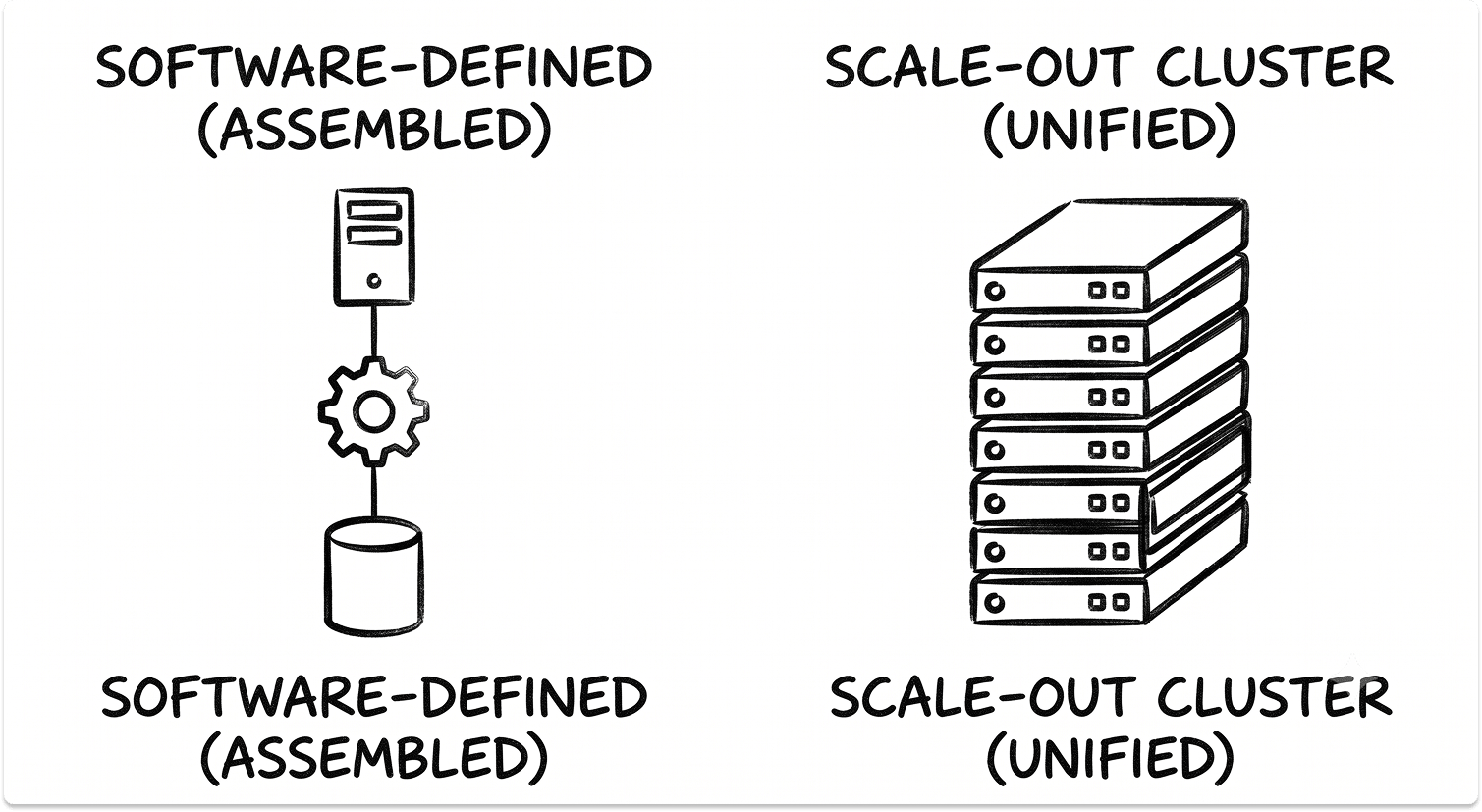
Veeam and Rubrik solve the same problem with opposite architectures, and that gap is the root of everything.
Veeam is software-defined and built from parts you assemble and own: a backup server as the control plane, one or more proxies that move data, repositories that store it, and a SQL configuration database. You size each component. You tune the job schedule.
Rubrik takes the other approach. It runs as a scale-out cluster where every node carries the same software stack, managed through Rubrik Security Cloud, and it replaces the backup job with a policy you assign to a workload.
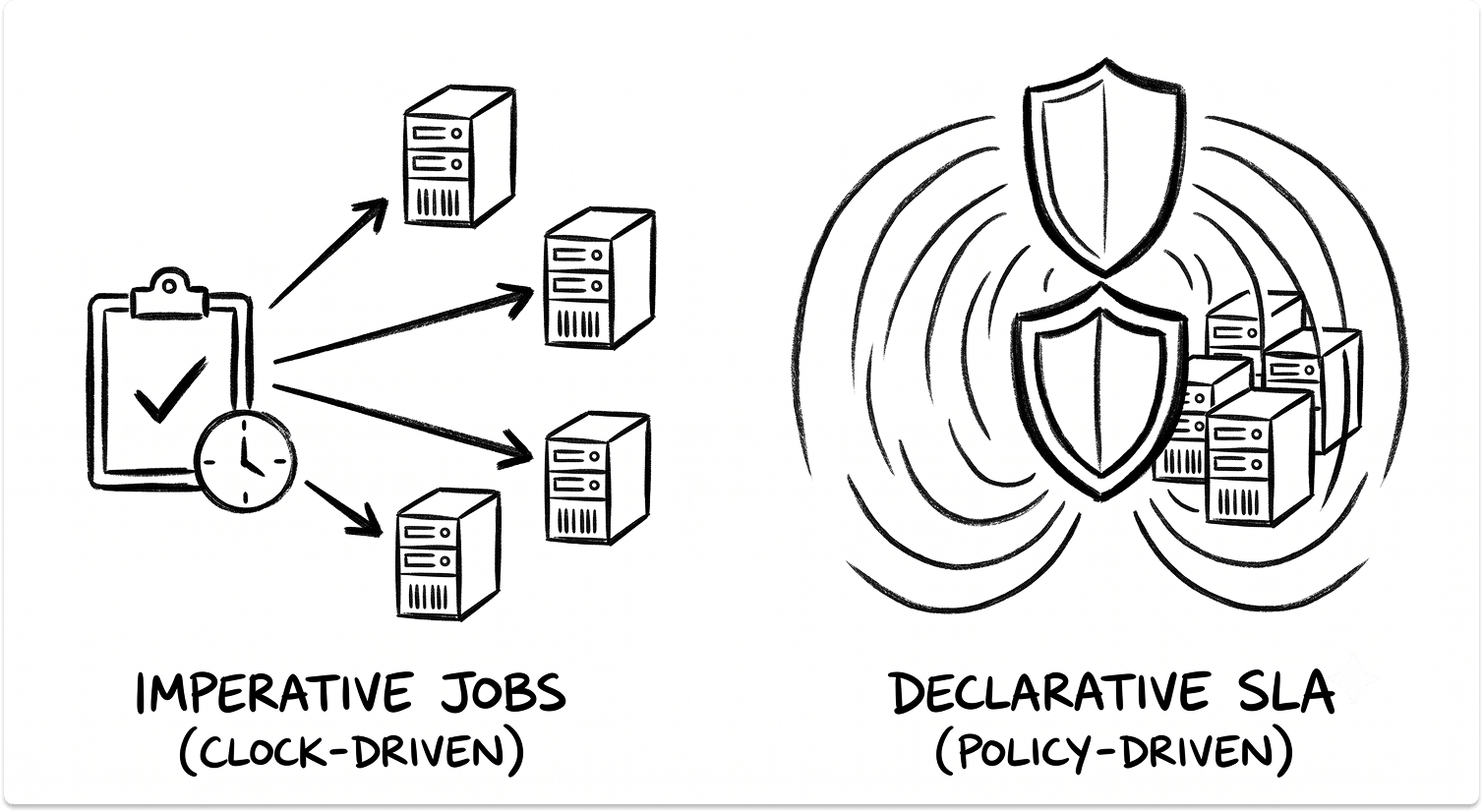
Its SLA Domains are declarative, so you define the outcome (frequency, retention, replication) and the cluster works out how to hit it.
Storage format is where portability ends. Veeam writes backup chains as .vbk (full), .vib (incremental), and .vbm (metadata) files, with retention logic and synthetic fulls layered on top.
Veeam's own engineers describe that chain as a sensitive construct that a plain file copy will corrupt, which is why even Veeam-to-Veeam moves rely on the product's own tooling.
Rubrik writes everything into Atlas, a proprietary append-only file system, and exposes no SMB or NFS share to read it. Data is reachable only through authenticated APIs. No competing product can mount it, parse it, or import it.
Put those two facts together and the conclusion is unavoidable. There is no converter, no bridge, and no supported path that turns a .vbk into an Atlas snapshot or the reverse. You are left with two ways to handle the history you already hold:
Here is how the two platforms line up on the dimensions that drive the migration:
The Retention Overlap Decides Your Timeline
The cutover is quick. The overlap is what you actually schedule around.
Because history cannot move, the old platform has to stay reachable for restores until its longest retention point expires. If your GFS policy keeps twelve monthly and seven annual restore points, the old system stays in read-only service for up to seven years before you can retire it cleanly.

The active migration (deploy, seed, run in parallel, validate, cut over) usually runs six to ten weeks for a mid-size estate. The tail is governed by compliance retention, and that is the number to put in front of finance and legal on day one.
Here the two directions stop being symmetrical, and this is the caveat I flag hardest.
Leave Veeam, and a read-only Veeam server costs you almost nothing. When a Veeam license expires, backup jobs fail but restores keep working. Perpetual licenses never expire at all, and the free Community Edition still restores. You can keep a restore-only Veeam server alive for the length of any retention window without renewing a thing.
Leave Rubrik, and the picture changes. Rubrik's licensing guidance describes a dedicated recovery license you must buy within a short window after a subscription ends, purely to read back data already stored. Restore access on the way out is a line item, not a given.
Budget the overlap with that asymmetry in mind. Moving away from Rubrik carries a recovery-license cost that moving away from Veeam does not.
Migrating From Veeam to Rubrik
The mental shift comes first. You are trading job schedules for policies.
Seeding is the heavy phase. Taking first full backups of the whole estate puts real load on production storage and the network, so stagger jobs into off-hours windows and throttle ingest where live systems would feel it.
Where a cloud target sits behind a constrained WAN link, physical seeding on shipped media is a legitimate option, and that logistics loop alone can add one to two weeks.
Migrating From Rubrik to Veeam
Going the other way, you rebuild the component stack Rubrik kept out of sight, and you trade simplicity for granular control.
Workload Coverage Does Not Map One to One
Both platforms protect the major workload types, but the mechanics shift when you move, and a few workloads travel their own path.
For VMware, Hyper-V, and other hypervisors, both use changed-block tracking through the hypervisor APIs, so virtual machines are the cleanest part of either migration. Physical Windows and Linux servers rely on agents on both sides, which you deploy and register fresh on the new platform.
Microsoft 365 is the workload people forget. Veeam protects it through a separate product, Veeam Backup for Microsoft 365, with its own repository and jobs, while Rubrik folds M365 into Rubrik Security Cloud. Either way the mailbox and SharePoint history does not move, so M365 needs its own parallel run and its own retention overlap.
Cloud-native instances (AWS EC2 and RDS, Azure VMs, GCP workloads) are protected through each vendor's native APIs, so confirm which specific services each platform covers before you assume parity. NAS and unstructured data get file-level protection on both, with different change-detection and retention behavior worth testing on real share sizes.
Databases are where I see the most friction. Veeam leans on application-aware processing with dedicated Explorers and plug-ins for SQL, Oracle RMAN, and SAP, which gives DBAs surgical control.
Rubrik leans on live mount and SLA-driven scheduling, which is faster to operate but less granular for complex clustered databases. Kubernetes is a workstream of its own: Veeam covers containers through Kasten, a separately licensed product, while Rubrik protects Kubernetes natively.
Immutability and Ransomware Resilience Differ on Each Side
Both platforms give you immutable backups, which is the whole point of keeping something clean to restore from. They reach that state differently, and the difference matters most during the overlap, when two backup systems and two credential sets are live at once.
Veeam makes immutability something you configure. The hardened repository and object storage with S3 Object Lock give you write-once protection, and the strength of it depends on how well you harden the Linux host and lock down credentials. You own that hardening.
Rubrik makes immutability the default. Atlas is append-only, advertises no writable file share, and forces every operation through authenticated APIs, so even stolen domain-admin credentials cannot modify or delete a snapshot. Rubrik Security Cloud adds machine-learning anomaly detection and threat hunting on top, though that analysis runs against backups after they land rather than watching live production.
During the parallel run, treat both control planes as production attack surface. The platform you are retiring is the easy one to neglect, and a half-decommissioned backup server with stale credentials is exactly what an attacker wants to find.
Automate the Repetitive Steps With Each Platform's API
Both platforms expose enough automation to take the grind out of a migration, and I lean on it heavily for bulk assignment and validation reporting.
On the Rubrik side, Rubrik Build publishes open-source SDKs on GitHub under the rubrikinc organization, including a PowerShell SDK and a Terraform provider. These let you assign SLA Domains in bulk from a CSV, script on-demand snapshots, and pull protection reports instead of clicking through the console one object at a time.
On the Veeam side, the PowerShell module covers almost everything the console does, and the REST API includes an automation section that imports and exports infrastructure objects (servers, repositories, jobs) as JSON.
That import and export is built for moving a Veeam configuration between Veeam servers, so it earns its keep when you are standing up or consolidating the Veeam side. It does not read Rubrik data.
Use the APIs to generate a single validation report that lists every protected workload on both platforms through the overlap. That report is how you prove nothing slipped through the gap between the two systems.
Let's See if You're Ready for the Migration
What to Validate Before You Decommission the Old Platform
Retire nothing until the new platform has earned it. My checklist before pulling the old system:
Only then do you decommission. Stop and disable services, disconnect the box from the network, and leave it powered down through a monitoring interval before deletion. Sanitize or destroy the old repository disks and appliances, because legacy backups hold your full production data set, and coordinate any Rubrik appliance return or wipe with the vendor.
Caveats Every IT Leader Should Weigh First
The sharp edges, collected in one place:
The Migration Is a Retention Problem Wearing a Tooling Costume
The vendor comparison that dominates the sales cycle is the least interesting part of this project. If you are still shortlisting across the wider field of backup and recovery tools, both Veeam and Rubrik sit among the platforms worth serious evaluation, and both protect the major workloads and deliver immutable backups. The real choice is whether you want to assemble and control the stack yourself or hand that control to a policy engine.
What determines whether the migration goes well is the boring middle: how long your retention runs, how you size the seeding phase, and whether you can keep the old platform restorable at an acceptable cost while its history ages out. Get those three right and the cutover is quiet. The tools are not the hard part.
Also read: The SCCM (ConfigMgr) to Intune Migration Guide and What Happens When You Migrate Between Microsoft Defender and CrowdStrike.
Not sure about the migration?
If you're already decided, there's nothing much to it. But if you're still looking for options and don't want to rush a decision, you can explore solutions on TechnologyMatch. Browse pre-vetted backup vendors on the platform and match with the ones that fit. Start conversations when you're ready. It's free and private.
FAQ
Can you convert Veeam backups to Rubrik, or Rubrik backups to Veeam?
No. Veeam stores backups as proprietary .vbk, .vib, and .vbm chains, and Rubrik stores them in the proprietary append-only Atlas file system reachable only through authenticated APIs. No tool reads both formats. You run the platforms in parallel, seed fresh backups on the new one, and let the old restore points expire, or you selectively restore a few critical points and reingest them natively.
Does migrating between Veeam and Rubrik cause production downtime?
No, if you sequence it correctly. You deploy the new platform alongside the old one and repoint or recreate backup jobs, which adds a second backup path rather than touching live workloads. Production stays online throughout. The only load consideration is the initial full backups, which you stagger and throttle to protect production storage and the network.
How long does a Veeam-to-Rubrik or Rubrik-to-Veeam migration take?
The active migration (deploy, seed, run in parallel, validate, cut over) typically runs six to ten weeks for a mid-size estate. The full timeline is longer, because the old platform stays in read-only service until its longest retention point expires. For GFS or compliance retention, that overlap can run one to seven years.
Can you still restore from the old platform after you stop paying for it?
It depends on which platform you are leaving. With Veeam, restores continue after a license expires, perpetual licenses never expire, and the free Community Edition still restores, so a read-only Veeam server costs almost nothing to keep. With Rubrik, restoring data after a subscription ends requires a dedicated recovery license bought within a short window. Factor that difference into the overlap budget.
What is the biggest technical difference to plan for?
The scheduling model. Veeam uses imperative, job-based backups where you define each schedule and target. Rubrik uses declarative SLA Domains where you define the outcome and the cluster enforces it, including automatic protection that new child objects inherit. Moving to Rubrik means grouping workloads by RPO and retention and auditing inheritance; moving to Veeam means rebuilding each policy as an explicit job with its own window and verification.