



Pinecone vs Weaviate vs Qdrant vs pgvector: choosing a vector database to run in production
Pinecone vs Weaviate vs Qdrant vs pgvector compared for production: licences, self-hosted and air-gapped options, hybrid search, backup, and real scale limits.
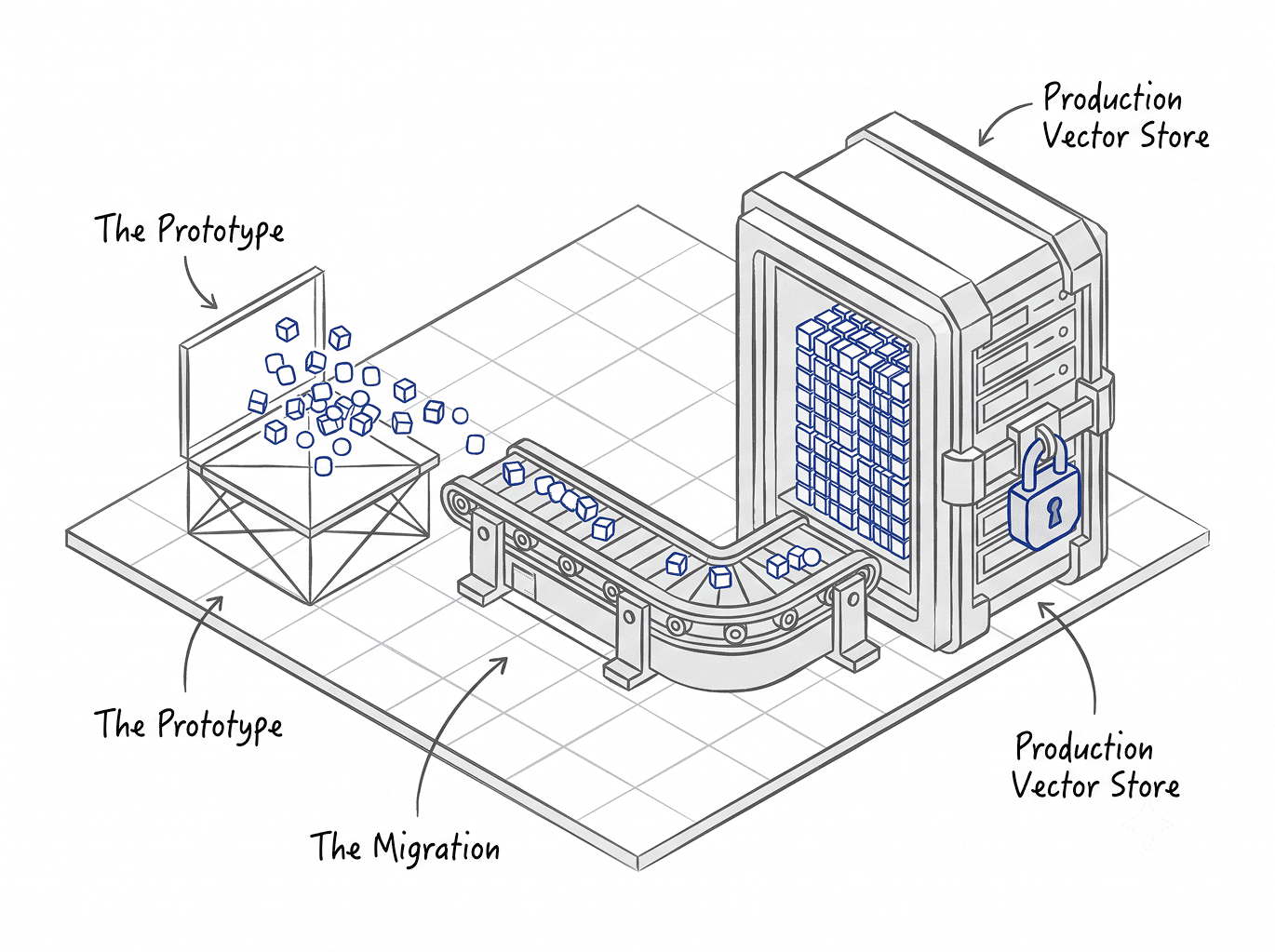
A retrieval prototype built in two weeks is now answering questions for the whole support team, and it runs on a developer's personal account. Or legal has read the data-processing terms on your shared cloud index and ruled that the contract library cannot sit there.
Either way the decision has moved to your desk, and you now own the uptime, the audit trail, the restore path and the invoice.
That is where most vector database comparisons stop being useful. The published head-to-heads come from developer advocates, from companies selling one of the options, or from Postgres hosting vendors with a stake in the answer.
They compare query syntax and recall curves. They rarely mention who carries the pager.
The choice turns on operations, governance and exit rather than on the index algorithm.
Four questions that decide the vector database comparison before you compare anything
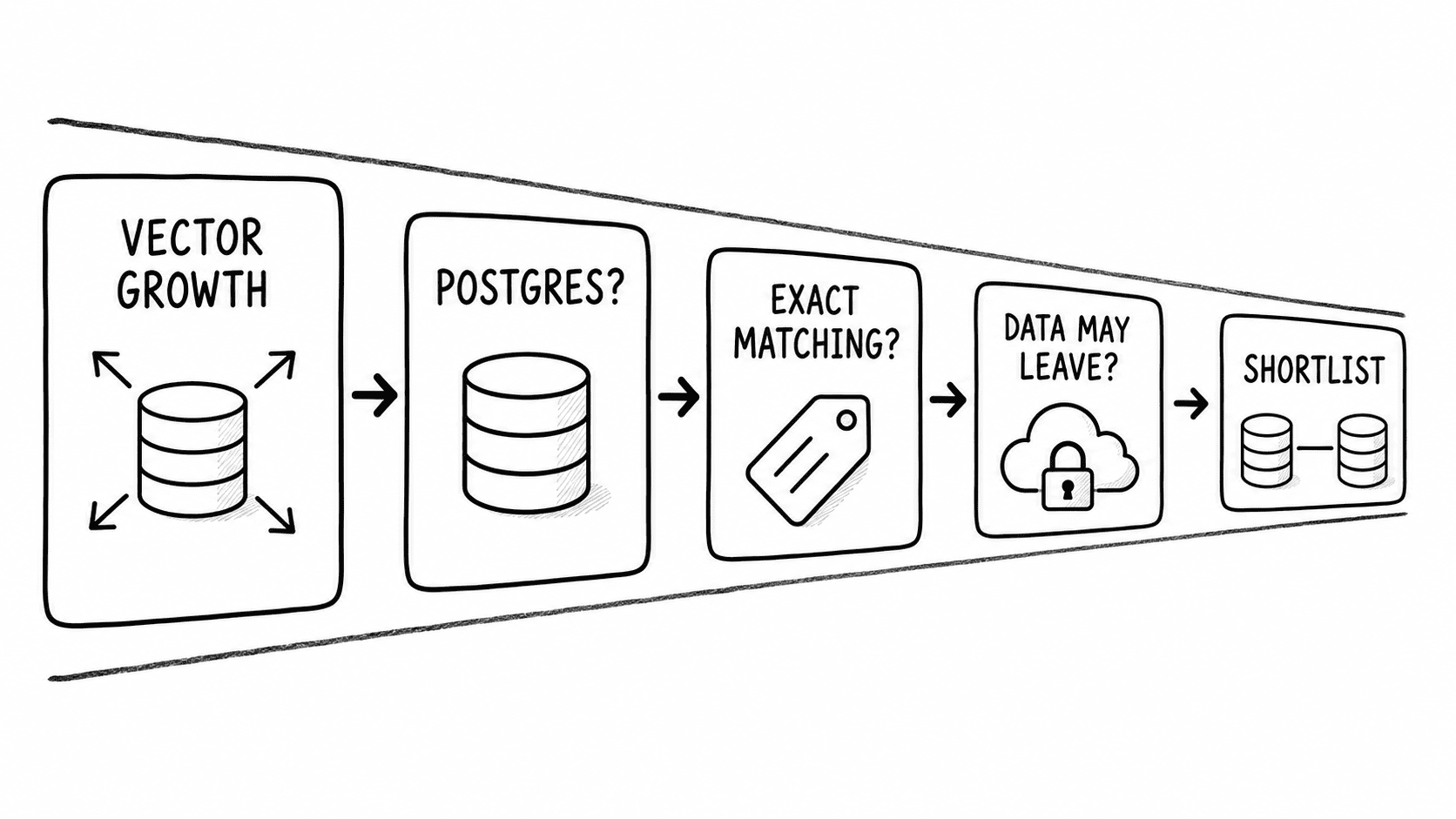
Any recommendation made without answers to these four is guesswork. Work through them first, because they eliminate options faster than any feature matrix.
Answer those four honestly and the field usually narrows to two. The rest of this guide is about telling them apart.
How many vectors before pgvector stops being the answer
This is the most contested number in the topic and the one worth getting right, because it decides whether you buy anything at all.
Here is what is currently in circulation, with the same confidence attached to each:
That is a twentyfold spread, and almost none of it is measured.
The correction is in the primary source. The pgvector project documents no vector-count ceiling at all. On scale it says one thing: scale pgvector the way you scale Postgres, vertically, by adding memory, CPU and storage.
There is no published limit because there is no limit in the software. The ceiling is a property of your hardware, your embedding dimensionality and your query pattern.
The spread collapses once you separate two systems that get discussed as one. Bare pgvector with an HNSW index wants that index in RAM. pgvectorscale adds a StreamingDiskANN index that keeps compressed vectors in memory and full vectors on disk, which moves the constraint from RAM to SSD.
Quoting a single threshold without saying which of those you mean, and at what dimensionality, produces exactly the numbers in that table.
What actually governs the ceiling
Five things, in rough order of how often they bite.
Whether the index fits in memory. One independent operator tested a million 1,536-dimension vectors with cosine distance and found the HNSW index landed at 8.19 GB, fitting in no cache that mattered on a 4 GB instance, with roughly a ninefold latency penalty. A million vectors is a small corpus. The problem was the box.
Index build memory. Building HNSW holds the graph in memory, and maintenance_work_mem defaults to 64 MB. Community testing puts the requirement for five million 1,536-dimension vectors at 8 to 16 GB, with the disk-based fallback running an order of magnitude slower.
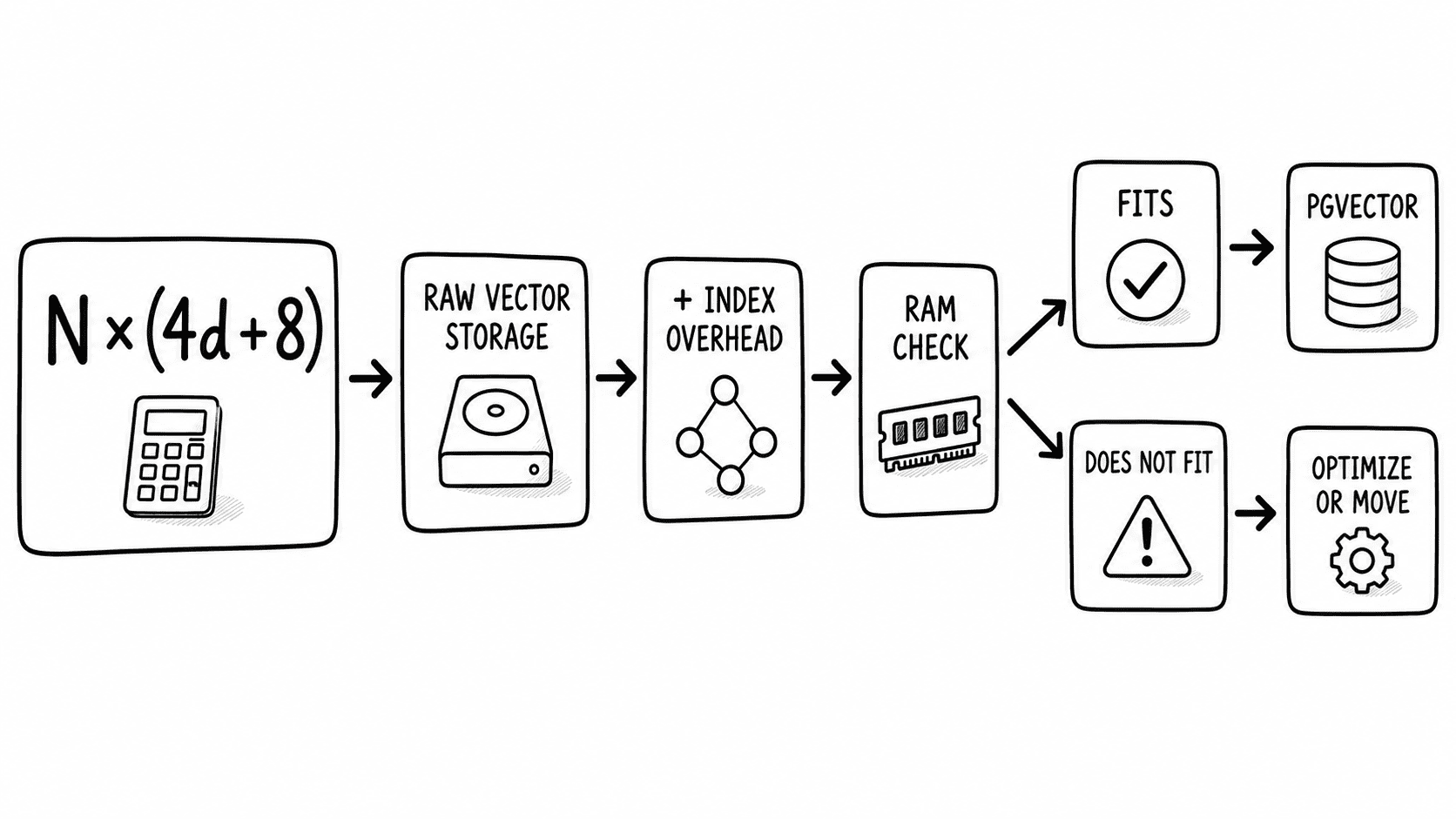
Dimensionality. The documented storage cost is 4 × dimensions + 8 bytes per vector. That is arithmetic you can do before buying anything.
Filter selectivity. With an approximate index, pgvector applies filtering after the index scan. The documentation gives the concrete case: a condition matching 10% of rows, with the default hnsw.ef_search of 40, returns roughly four matching rows. Iterative index scans, added in 0.8.0, address this, and partial indexes or partitioning help further. Teams that skip this step conclude the database cannot scale when what failed was the query plan.
Shared transactional load. A Postgres instance also serving OLTP traffic competes for the same buffer cache and CPU. The effective ceiling on a shared instance is lower than on a dedicated one, and no primary source quantifies by how much.
Work out your own number
Compute raw vector storage, add graph overhead, and check whether the result fits in memory you are willing to pay for.
Ten million vectors at 768 dimensions:
10,000,000 × (4 × 768 + 8) = 10,000,000 × 3,080 = 30.8 GB
+ HNSW graph (roughly 160 bytes per vector) ≈ 1.6 GB
≈ 32 GB total
That fits comfortably on a 64 GB instance with headroom. Bare pgvector handles it.
One hundred million vectors at 1,536 dimensions:
100,000,000 × (4 × 1,536 + 8) = 100,000,000 × 6,152 ≈ 615 GB
That figure matches the independently published estimate of over 600 GB of raw vector storage at that scale. Holding it in RAM is impractical. Before concluding Postgres cannot do it, three levers exist: halfvec at 16-bit precision roughly halves it, binary quantization cuts it much further, and StreamingDiskANN removes the in-memory requirement entirely.
Compute N × (4d + 8), add 20%, and if that fits in RAM you would actually provision with OLTP headroom to spare, bare pgvector is viable. If it does not, reach for halfvec, then quantization, then pgvectorscale, and only then price a dedicated engine.
One number deserves naming because it dominates this topic. Tiger Data, which builds and hosts pgvectorscale, has published results claiming 28 times lower p95 latency and 16 times higher throughput than Pinecone's storage-optimised index on 50 million 768-dimension embeddings, at roughly a quarter of the monthly cost. Those figures are the vendor's own, on the vendor's own product, and nobody independent has reproduced them. Treat them as a position, not a measurement.
Pinecone, Weaviate, Qdrant and pgvector: what each one is and who operates it
Licences matter more than feature lists here. A permissive open-source licence is an exit path. A closed managed service is a commitment.
Pinecone: a proprietary managed vector database with no self-hosted build
Pinecone is a fully managed service with no open-source engine behind it. The serverless architecture decouples storage from compute, writing immutable index segments to object storage with a write-ahead log, which is why capacity scales without you sizing nodes. Product quantization is applied during background compaction rather than being something you configure.
There is no version number to track and no upgrade to plan, because you do not run it. Serverless is generally available on AWS with GCP and Azure also offered, and the older pod-based deployment is now legacy.
Bring Your Own Cloud runs the data plane inside your own cloud account. That is the closest thing to self-hosting on offer, and it is still Pinecone's proprietary software under a Pinecone-managed control plane.
What it asks of your team is close to nothing operationally, and that is the trade. You get no source code, no self-hosted fallback and no migration target that speaks the same API if the commercial relationship ends. For a small team with no platform engineering capacity, that trade is often correct. For anyone required to demonstrate an exit plan, it is a documented risk.
Weaviate: a BSD-licensed vector database with hybrid search as a first-class query
Weaviate is written in Go and released under BSD-3-Clause, which is genuinely permissive. It stores objects alongside their vectors, so a record and its embedding live together rather than in two systems joined by an ID.
The managed offering wraps the same open-source project, so the self-hosted build and Weaviate Cloud are the same engine. That matters for exit: you can run the identical software yourself.
Recent releases have added namespaces for isolating users on a shared cluster, and collection aliases, which make swapping a rebuilt collection into place a rename rather than a migration.
Role-based access control reached general availability in v1.29. Production guidance recommends three or more nodes for high availability.
What it asks of your team, self-hosted, is real Kubernetes competence and a plan for replication, backups and upgrades, with the caveat that self-hosted upgrades must go one minor version at a time.
Qdrant: an Apache-2.0 vector database with an air-gapped deployment option
Qdrant is written in Rust and licensed Apache-2.0, the most permissive of the four managed options. The same engine, API and clients serve both the open-source build and Qdrant Cloud.
Its distinguishing technical choice is filtering. Rather than filtering before or after the search, Qdrant integrates the filter into HNSW graph traversal, which is the direct answer to the over-filtering problem that bites pgvector users. Quantization options are extensive, including a 4-bit mode added in v1.19.
The deployment range is the widest here: managed cloud, Hybrid Cloud with the data plane in your infrastructure, Private Cloud that runs air-gapped with no connection to the cloud console at all, and plain self-hosting.
One upgrade hazard is worth knowing before you plan a maintenance window. Version 1.17 replaced the RocksDB storage engine with a new implementation, which means you cannot skip versions across that boundary. Upgrade one minor release at a time.
pgvector: a PostgreSQL extension, not a separate database to operate
pgvector adds vector types and approximate-nearest-neighbour indexes to PostgreSQL. There is no new service, no new backup regime, no new failover story and no new thing to monitor. Your existing Postgres operations absorb it.
It supports HNSW and IVFFlat indexes, with halfvec, bit and sparsevec types for reducing footprint. The indexable dimension limits are worth checking before you pick an embedding model: 2,000 dimensions for the standard vector type and 4,000 for halfvec.
Availability is close to universal. RDS, Supabase, Neon and Azure all offer it, so "postgres vector database" is usually a configuration change rather than a procurement exercise.
One security note belongs in your patch tracking. Release 0.8.2, in February 2026, fixed a buffer overflow in parallel HNSW index builds that could leak data from other relations or crash the server. If you are running an earlier 0.8.x, that is your reason to upgrade.
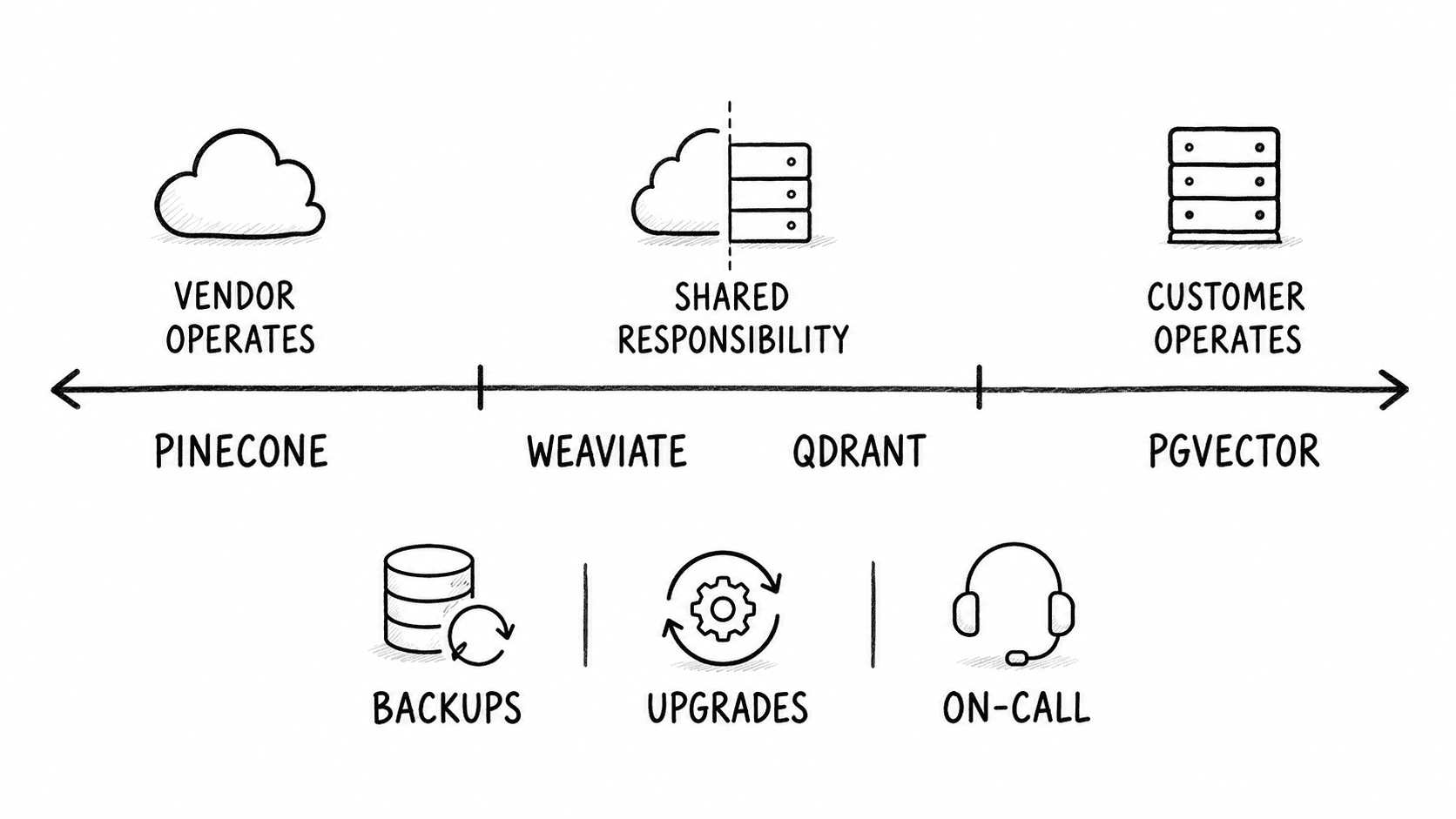
Production readiness compared: Pinecone vs Weaviate vs Qdrant vs pgvector
The differences that decide procurement sit in operations, governance and exit rather than in retrieval quality. All four return good results on a clean corpus.
Two rows are blank across the board, and the blanks are informative. None of these four publishes a recovery point objective or a recovery time objective, and none documents what happens when you restore an index built by an embedding model version you no longer call. Those are the two questions an auditor asks about an AI application, and the answer has to come from you.
Hybrid search: why vector-only retrieval fails on enterprise content
Semantic similarity is bad at exact tokens. Ask a vector-only index for part number MX-4471-B and it will confidently return the chunk about MX-4470-C, because the two embeddings sit almost on top of each other. Your engineers will notice within a day.
Enterprise corpora are full of exactly this. Error codes. Policy references. Contract clause numbers. Drug names. SKUs. Configuration flags. Any retrieval system over technical documentation needs lexical matching working alongside dense similarity, with the two score sets merged sensibly.
That is what hybrid search does, and support for it is the sharpest technical difference in this comparison.
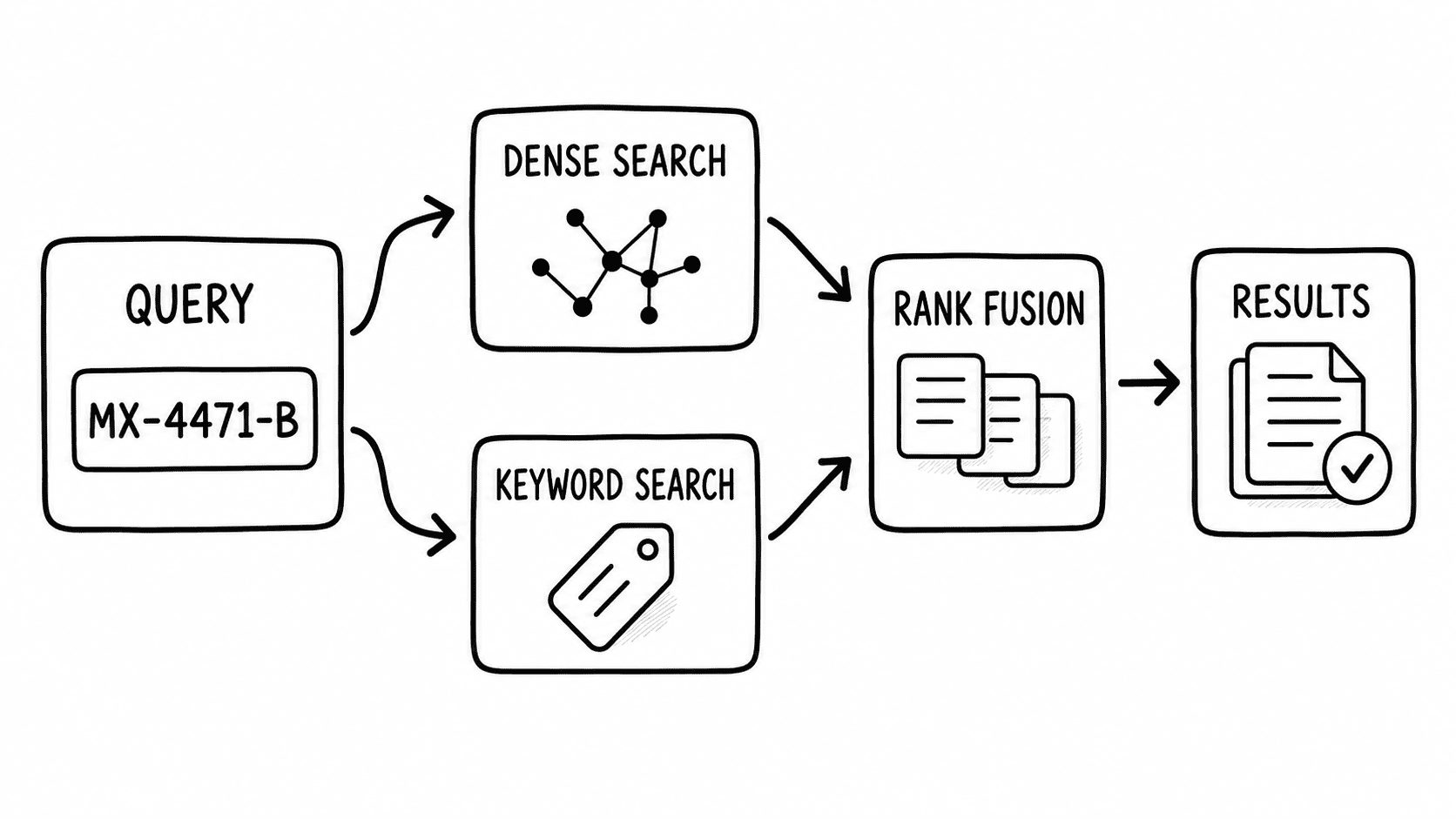
The pgvector row is where teams underestimate the work. Both halves function well individually. Combining them means writing your own scoring, tuning two sets of weights and maintaining that query as the corpus changes. It is a few hundred lines and an ongoing tuning obligation rather than an insurmountable problem, and I have seen it done well. I have also seen it abandoned nine months in.
Filtering is the related trap. Where Qdrant pushes the filter into graph traversal, pgvector applies it after the index scan, which produces the documented case of a 10% selective filter returning about four rows against default settings. Iterative index scans fix the pathological version. Knowing the behaviour exists is what separates a working deployment from a mystifying one.
If your retrieval target is policy documents or technical manuals, weight hybrid support heavily. If you are searching support ticket prose or marketing copy, it matters much less.
Regulated content and where the vector index can legally sit
This is where the deployment options stop being interchangeable, and where the honest answer has three tiers rather than two.
The middle tier is the one that gets misread in both directions. A control-plane connection is not the same as your data leaving, and it is also not nothing. If your requirement is written as "no third-party network dependency," Hybrid Cloud and BYOC both fail it.
If it is written as "customer data must remain within our cloud account," both satisfy it. Get the requirement written down before you evaluate, because the products differ on precisely that distinction.
Certifications are the least interesting part of this section. All three managed vendors hold SOC 2 Type II and ISO 27001, with HIPAA available on some tiers.
Pinecone publishes a full report through its trust centre; Qdrant and Weaviate make reports available on request. These are vendor-published claims about vendor-run infrastructure, and none of them tells you anything about the system you assemble on top.
The embedding step that undoes all of it
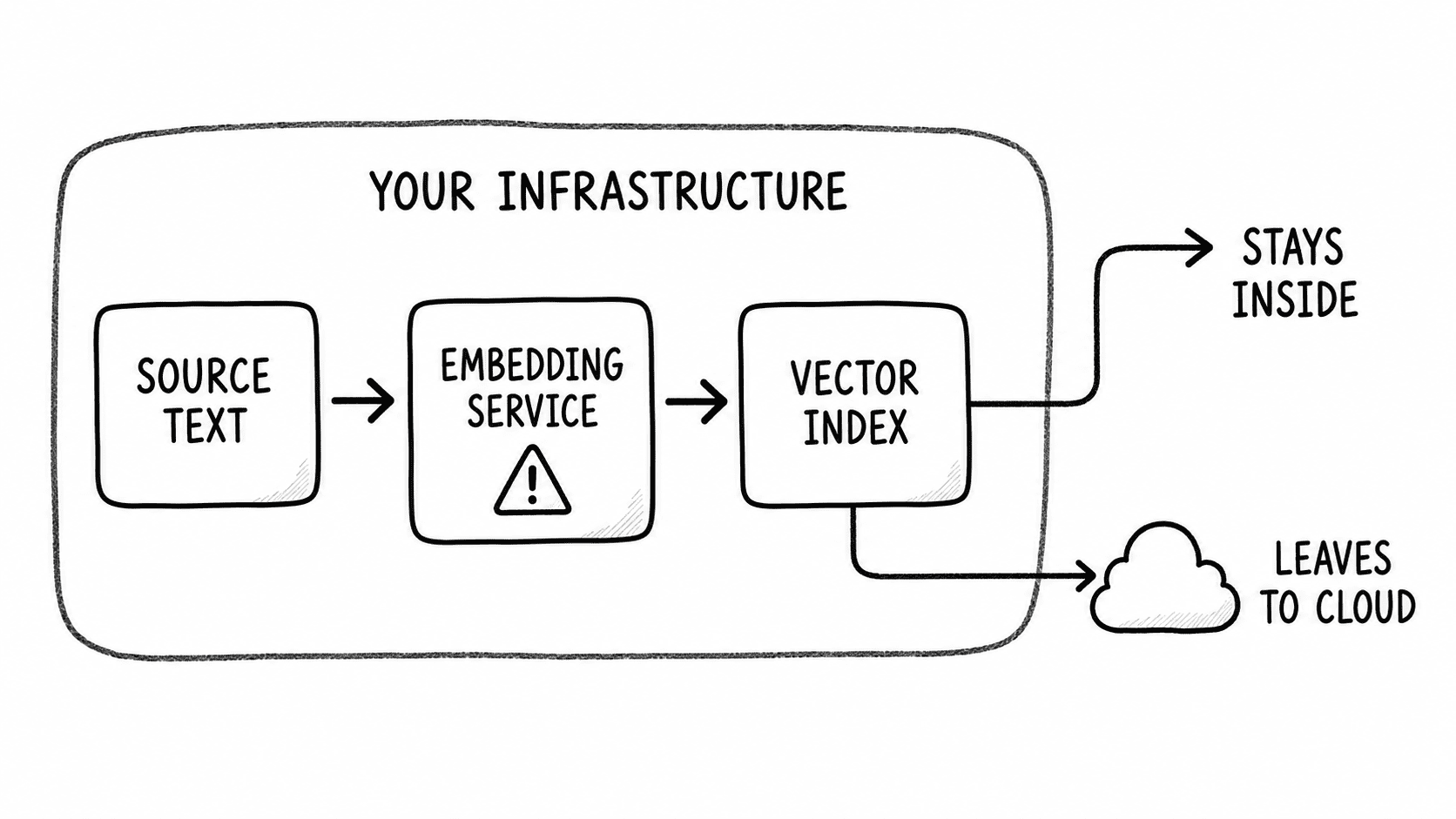
Restricting where the database sits accomplishes nothing if the source text is transmitted elsewhere to be embedded. This is the failure I see most often, and I have not found a single competing article that mentions it.
Pinecone's integrated inference hosts its models in the United States only, stated plainly in its own documentation. Provision an index in Frankfurt for residency reasons, then use integrated embedding, and your source text has been sent to the US. The index location was never the control.
Weaviate's vectorizer modules call external providers by default, which sends your text to whichever provider you configured. Using Weaviate's own hosted embeddings keeps it inside Weaviate Cloud. Supplying precomputed vectors sends no text anywhere.
Qdrant Cloud generates embeddings inside Qdrant Cloud. Self-hosted, Hybrid and Private deployments with client-side embedding send nothing out.
pgvector has no embedding feature at all, which means the question does not arise unless you configure something to answer it.
The control you actually need is at the embedding step, not the storage step. Audit that first.
Backing up a vector store, and why a clean restore can still leave retrieval broken
A vector index is not a self-contained artifact. Four things have to be recoverable together: the index, the source documents, the embedding model version that produced the vectors, and the chunking configuration used to split the documents.
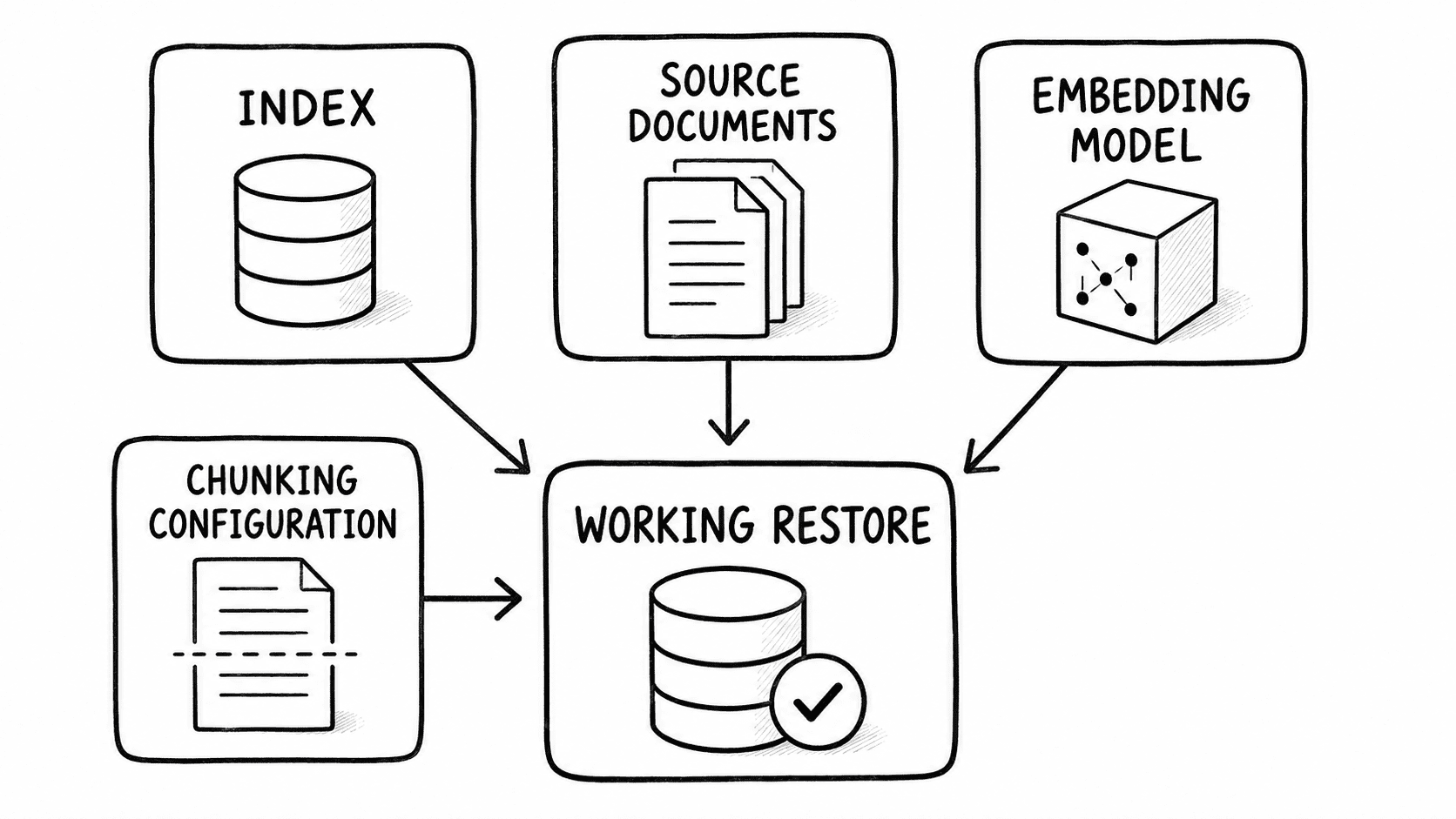
Lose track of the third one and you get the failure mode nobody tests for. The restore reports success. The database serves queries. Every result is subtly wrong, because the stored vectors came from a model you no longer call, and the query embedding now lands in a different part of the space. Nothing errors. Retrieval quality just quietly collapses, and the first person to notice is a customer.
None of these four documents what happens in that situation. That gap is consistent across all of them, and it means the burden is yours.
What each one gives you natively is narrower than the marketing implies.
- Pinecone takes backups as static, non-queryable copies you restore into a new index.
- Weaviate writes backups to your own object storage, immutably, with compression in recent releases.
- Qdrant offers scheduled incremental snapshots plus on-demand snapshots, exportable to your own object storage, with the recovery point equal to whatever cadence you set.
- pgvector inherits Postgres, which is the strongest position here: a physical backup captures table, index and configuration as one consistent unit, and write-ahead log archiving gives you genuine point-in-time recovery.
None of the three dedicated engines documents a point-in-time recovery capability, and none publishes an RPO or RTO figure. If you are writing a disaster recovery plan against a regulatory requirement, you will be deriving those numbers from your own testing.
Three things belong in your runbook regardless of which you choose. Version-pin the embedding model and record that version alongside the index. Store the chunking configuration in source control, not in a notebook. Include a retrieval quality check in your restore test, using a fixed set of questions with known-good answers, because a restore that passes a connectivity check tells you nothing about whether retrieval still works.
What each option costs, and where the bill surprises people
Rates move. Weaviate restructured its pricing in October 2025, which means much of what is currently indexed about it is wrong. Treat the structure as the durable information and check the current numbers yourself.
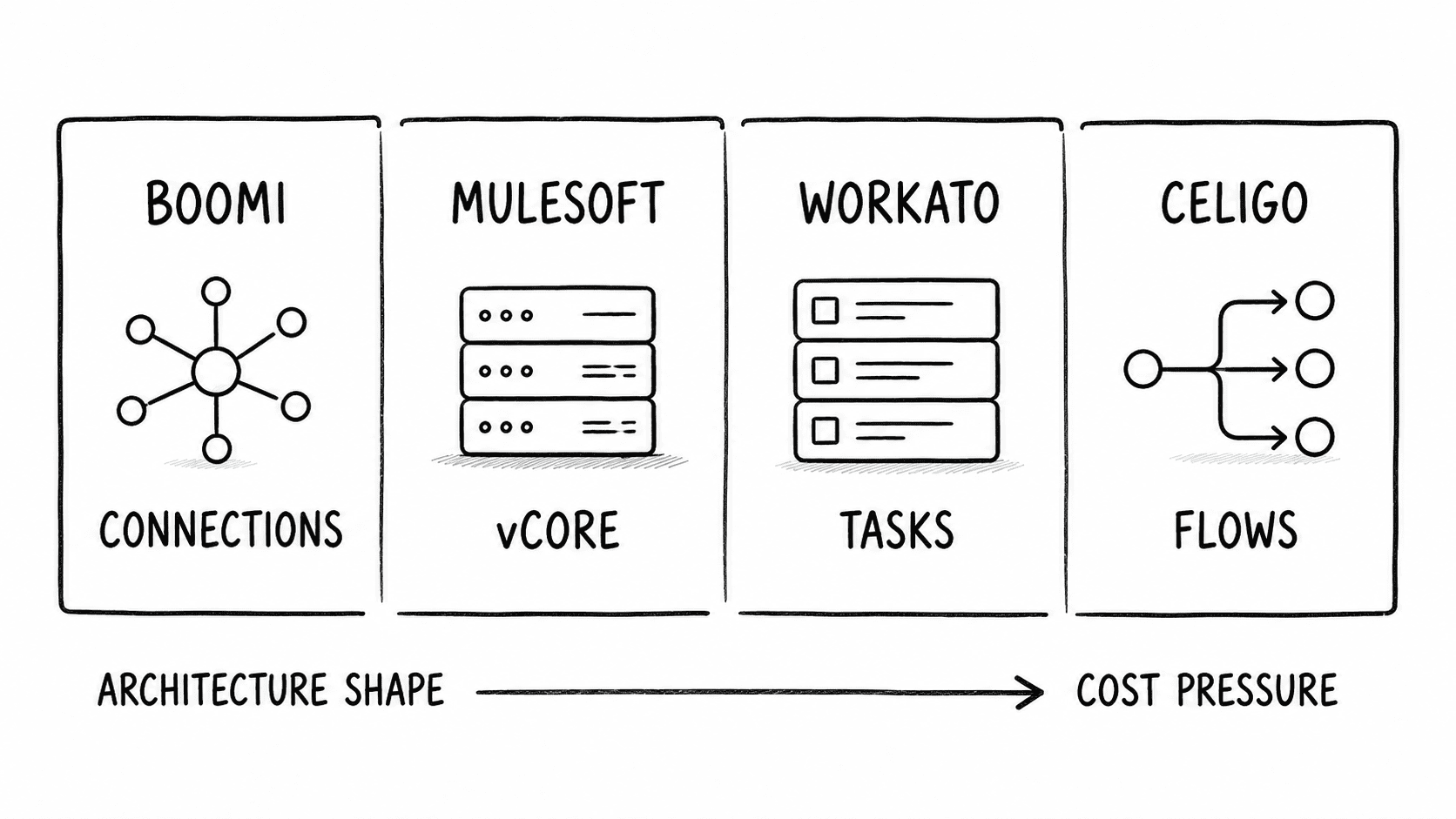
The surprises are consistent across all four.
Dimensionality drives cost more than vector count. Halving your embedding dimensions roughly halves your memory bill. That is the single cheapest optimization available and almost nobody evaluates it before committing to a model.
Replicas are an availability decision priced as a capacity decision. Every product prices high availability as additional nodes or units, which means the resilience conversation and the budget conversation are the same conversation.
Re-embedding is the invisible line item. Change your embedding model and you regenerate every vector in the corpus. That is inference cost, write cost and index build time, all at once, and it happens more often than anyone plans for.
Query volume scales with adoption, not with users. A per-query pricing model behaves fine in pilot and behaves differently when an assistant becomes genuinely useful and each answer fires several retrieval calls.
The consumption models diverge most under bursty load. Metered read and write units track usage closely, which is efficient at low volume and unpredictable at high volume. Hourly node pricing is predictable and pays for idle capacity. Neither is better; they fail in opposite directions.
Migrating off a prototype without breaking the assistant
The single fact that governs this: vectors are generally not portable across embedding models. You cannot export embeddings from one system and load them into another unless the same model produced them, and even then the metadata and index configuration will not transfer cleanly. Plan to re-embed.
The sequence that works:
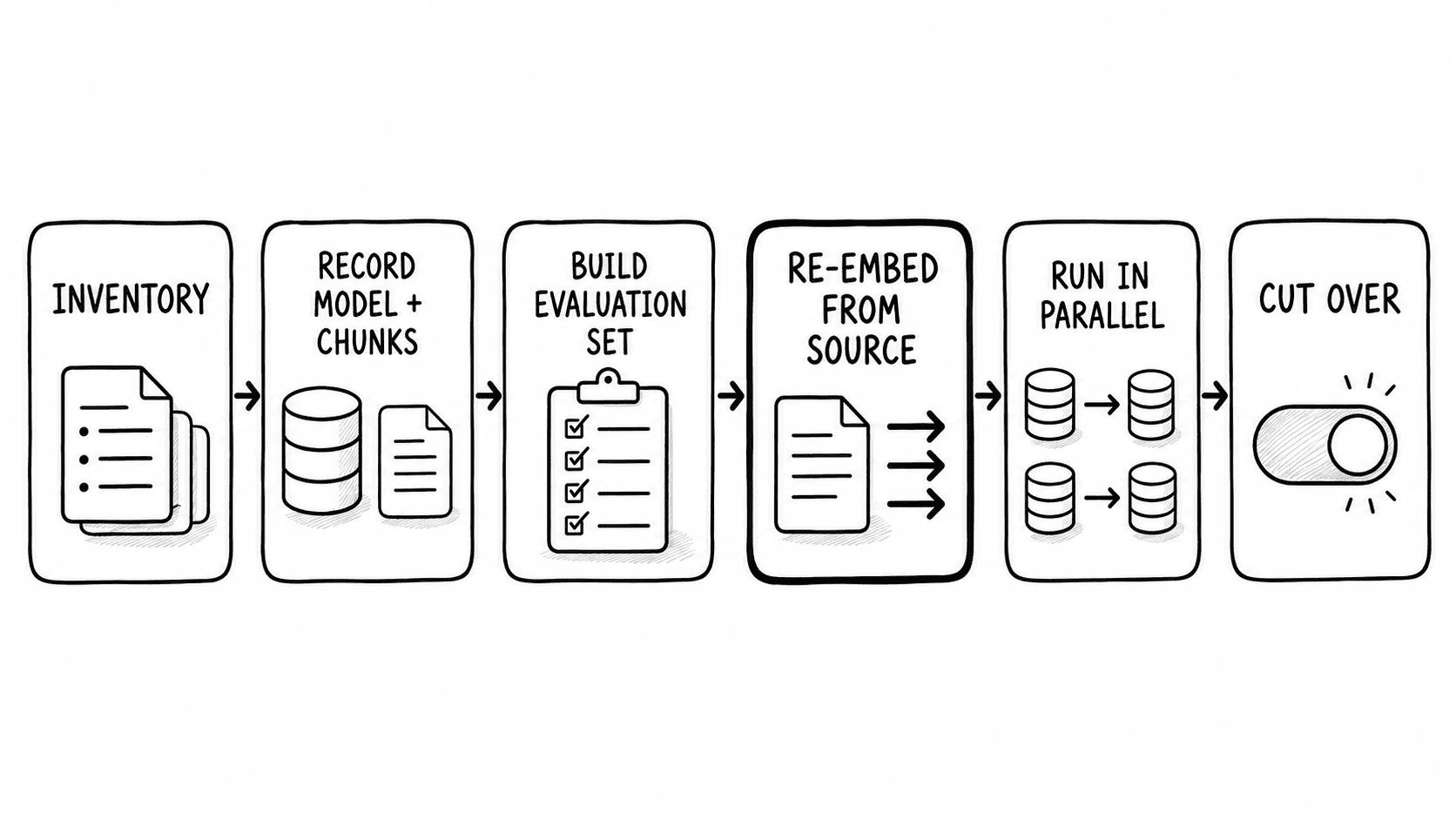
Step three is the one that gets skipped, and skipping it is why migrations get reverted. Without a baseline, every complaint after cutover is unfalsifiable.
Why Chroma, Milvus, OpenSearch and Elasticsearch are out of scope
Chroma, Milvus and FAISS are excluded here for a reason worth stating. Chroma and FAISS are excellent for prototypes and local development and are not what I would hand an operations team. Milvus is a serious distributed system that deserves its own comparison rather than a paragraph in this one, because evaluating it properly means evaluating its dependencies.
The more useful exclusion is the group you may already be paying for. Before buying anything, check whether a production-capable vector index is already inside your existing licences.
Elasticsearch supports dense vector fields with approximate k-nearest-neighbour search over HNSW, sparse vector retrieval, and native hybrid search through a reciprocal rank fusion retriever. If you already run Elasticsearch, this is a real option.
OpenSearch offers k-NN search across HNSW and IVF, server-side embedding generation, and native hybrid search via a hybrid query combined with a normalisation or score-ranking processor.
Redis provides vector fields with flat, HNSW and newer graph index types, plus a hybrid command that combines vector search with full-text, numeric, tag and geo filters.
MongoDB Atlas has native vector search with HNSW and exhaustive options, pre-filtering, dimensions up to 8,192 and integrated reranking. The caveat: there is no single fusion primitive, so hybrid means assembling vector search and text search in an aggregation pipeline yourself.
Azure AI Search has vector search, integrated vectorization, quantization, and native hybrid combining vector and keyword results through reciprocal rank fusion with an optional semantic reranking stage.
Any of those five can meet a production retrieval requirement. If one is already in your estate, the cheapest evaluation you can run is proving it cannot do the job before you buy something that can.
Which vector database to choose, by situation
Seven situations, with a call for each.
You run PostgreSQL and your arithmetic puts you under the memory ceiling.
Use pgvector. Adding an extension to a database you already operate well beats introducing a new stateful service. Revisit when your projected vector count crosses the number you calculated, not when a blog post tells you to.
Your content is regulated with no exceptions.
Self-hosted pgvector or Qdrant Private Cloud. Both run with nothing leaving your infrastructure. Then audit the embedding step, because that is where the requirement usually breaks.
You have no platform engineering capacity and no appetite for one.
Pinecone. You are buying the absence of operational work, which is a legitimate purchase. Accept that there is no self-hosted fallback and document that as a known risk.
Retrieval runs over technical documentation full of exact identifiers.
Weaviate or Qdrant. Both treat hybrid search as a first-class query. Weaviate if you want objects and vectors stored together with mature fusion options; Qdrant if filtered search is central, because filtering inside graph traversal is the better design for that.
You are heading toward hundreds of millions of vectors.
Qdrant or Weaviate self-hosted or managed, or pgvector with pgvectorscale if the Postgres estate is a strong enough reason to stay. At that scale the decision is dominated by who operates it, and you should be benchmarking on your own corpus rather than reading anyone's numbers, including mine.
A prototype on a developer account is now serving the business.
Stop and do the migration properly, to whichever of the four your other answers point at. The urgent risk is not the database. It is that nobody has written down the embedding model version, and until they do you cannot rebuild the thing you now depend on.
You already license OpenSearch, Elasticsearch, Redis, MongoDB Atlas or Azure AI Search.
Test what you own first. Build the evaluation set, run it against your existing platform, and only buy if it demonstrably fails. That test costs a week and sometimes saves the entire procurement.
When the prototype is already load-bearing
A retrieval system the business depends on is a harder problem than a retrieval system you are evaluating, and the timeline is rarely yours to set. Filter with your constraints and find vendors who fit, on your terms, it's private and free.
FAQ
What are the key differences between Pinecone and Qdrant?
Pinecone is proprietary and managed only, with no self-hosted build and no open-source engine. Qdrant is Apache-2.0 licensed and runs managed, hybrid, air-gapped or fully self-hosted, with the same engine in every case. Qdrant integrates metadata filtering into HNSW traversal; Pinecone abstracts index management entirely and meters usage across read units, write units, storage and egress. The practical split is control and exit path against operational simplicity.
What are the key differences between pgvector and Pinecone?
pgvector is a PostgreSQL extension, so vector search runs inside a database you already operate, back up and monitor. Pinecone is a separate managed service you consume over an API. pgvector scales vertically with the memory you provision and gives you native point-in-time recovery through Postgres; Pinecone scales without your involvement and gives you no self-hosted fallback. If you run Postgres and fit within your memory ceiling, pgvector removes a system rather than adding one.
Can pgvector handle production RAG?
Yes, within a ceiling you can calculate. The project documents no vector-count limit and advises scaling as you would scale Postgres. What limits it is whether the index fits in the memory you provision, given your embedding dimensionality, plus filter behaviour and whether the instance also serves transactional load. Compute vector count multiplied by four times dimensions plus eight bytes, add roughly 20% for graph overhead, and compare against available RAM. Hybrid search is the real gap, since it must be assembled from Postgres full-text search rather than issued as one query.
Is Pinecone a vector database?
Yes. Pinecone is a managed vector database built for similarity search over embeddings, using a serverless architecture that separates storage from compute and writes index segments to object storage. It is proprietary, with no open-source version.
Is pgvector a vector database?
pgvector is an extension that turns PostgreSQL into one. It adds vector data types and approximate-nearest-neighbour indexes, including HNSW and IVFFlat, to an existing relational database. Functionally it delivers vector search; architecturally it is Postgres, which is the point.
What is the best vector database for production RAG?
There is no single answer, and any article giving one has skipped the qualifying questions. The choice is decided by four things: vector count and growth, whether you already operate PostgreSQL, whether retrieval needs exact keyword matching alongside semantic similarity, and whether the indexed content may leave your infrastructure. Answer those and the field narrows to two options, at which point you benchmark on your own corpus.
What are the key differences between pgvector and OpenSearch?
pgvector adds vector search to PostgreSQL and relies on you to assemble hybrid retrieval from Postgres full-text search. OpenSearch is a search engine first, with k-NN vector search across HNSW and IVF alongside native hybrid search through a hybrid query and a normalisation or score-ranking processor. If lexical relevance and vector similarity both matter and you already run OpenSearch, it arrives with the fusion machinery pgvector expects you to build.
How do I back up a vector database?
Back up four things together: the index, the source documents, the embedding model version and the chunking configuration. Recovering the index alone produces a database that serves queries and returns meaningless results, because vectors produced by a superseded model no longer align with new query embeddings. Native capability varies: Postgres gives pgvector true point-in-time recovery, while Pinecone, Weaviate and Qdrant offer snapshot or backup restore without documented point-in-time recovery, published recovery point objectives or guidance on model-version mismatch. Include a retrieval quality check against fixed known-good questions in every restore test.
Which vector database is the fastest?
Published benchmarks on this question disagree with each other, and most were produced by a party selling one of the options. The measurements that exist vary with embedding dimensionality, index build parameters, filter selectivity, concurrency and hardware, all of which differ in your environment. Benchmark the two options your requirements leave you with, on your own corpus, against your own evaluation set.
%20vs%20Delinea%20vs%20BeyondTrust%20Choosing%20a%20PAM%20Platform%20in%202026.png)
