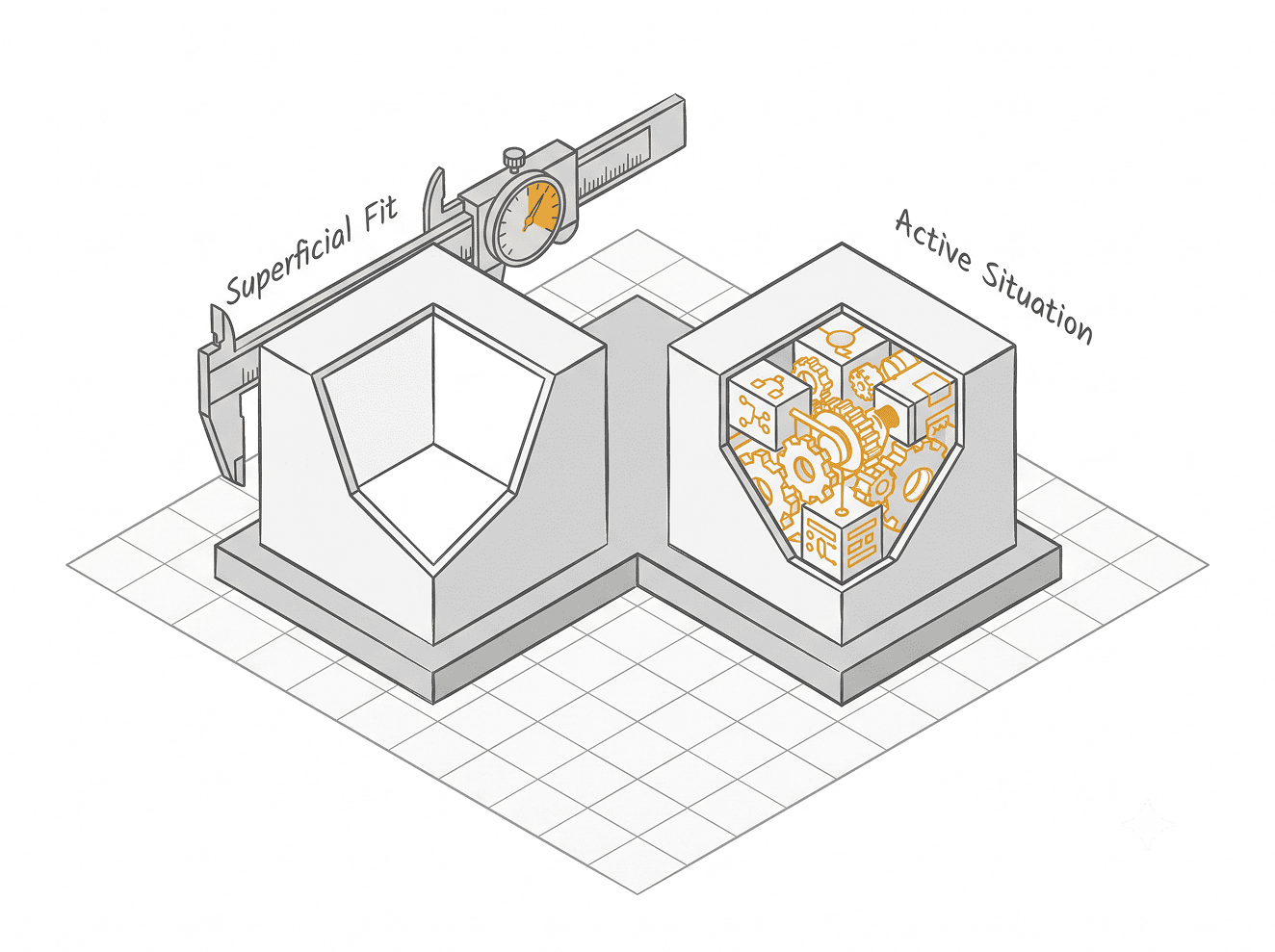
ITIL incident vs service request: how to classify every IT ticket
Incident vs service request: use one routing question to classify IT tickets, handle 12 edge cases, and keep change records and emergencies small.
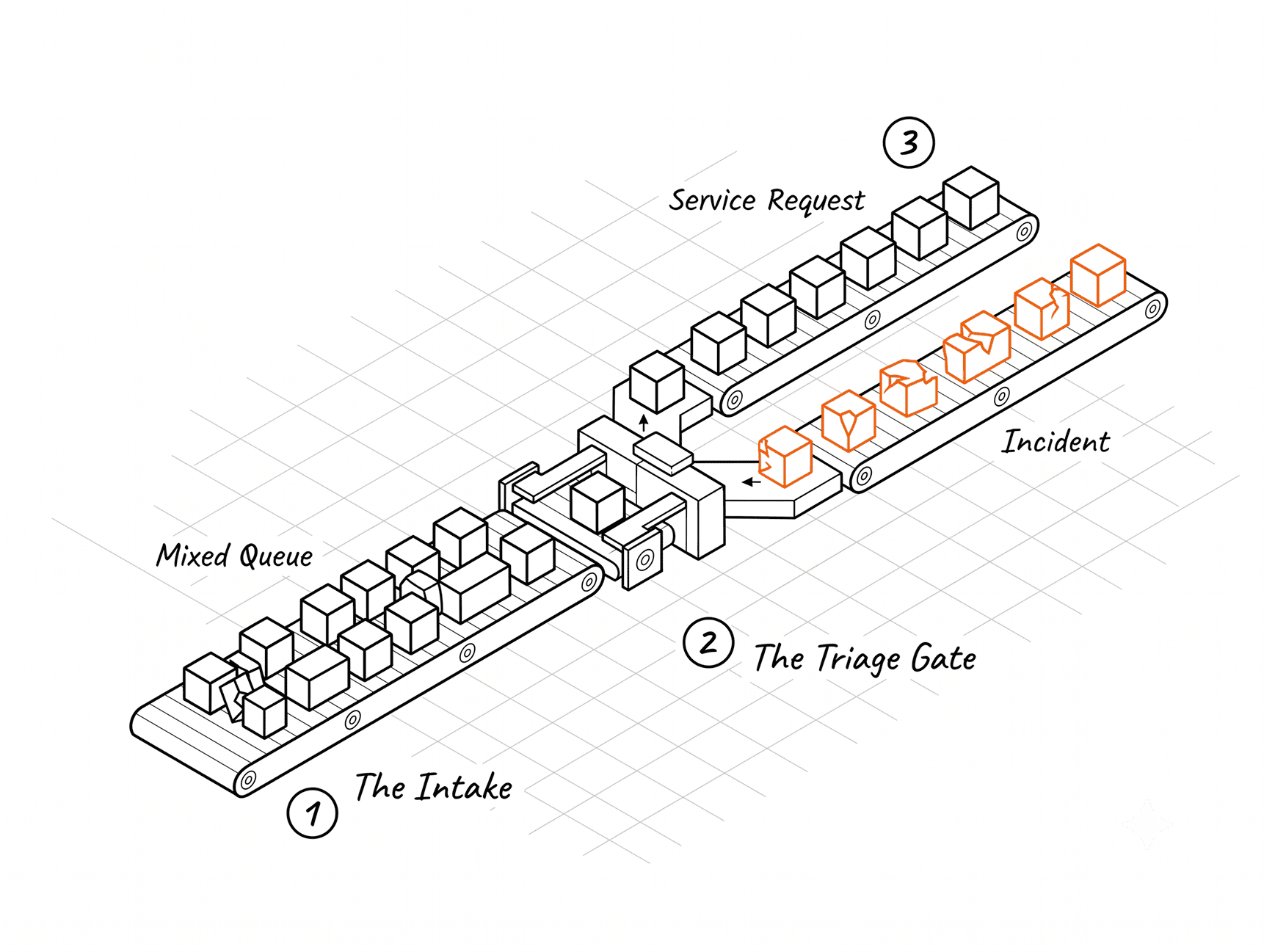
A ticket lands in the queue with the subject line laptop issue. The analyst has maybe forty seconds to decide what it is, and the framework definitions from their certification course don't help. What they need to know is where it goes.
That's the real job. Classifying a ticket is a routing decision. It decides which queue the work sits in, which clock starts, who has to approve it, and whether someone gets paged at 2 a.m. The right classification is the one that routes correctly.
I read a thread on implementing ITIL across several teams, and it was interesting enough for me to write this article around it.
Skip the full framework, get two queues working, keep change control light, and measure a couple of numbers for ninety days. This guide builds on that consensus and tests it against benchmark data.
IT Leaders Report 2026
What are your IT peers investing in 2026?
We spoke to about 1,300 IT leaders from various organisations to understand what they're evaluating. Most of it is the kind of thing you'd only hear from a peer you know well enough to ask, so we've put it in one place.
Read the report
The one question that classifies most IT tickets
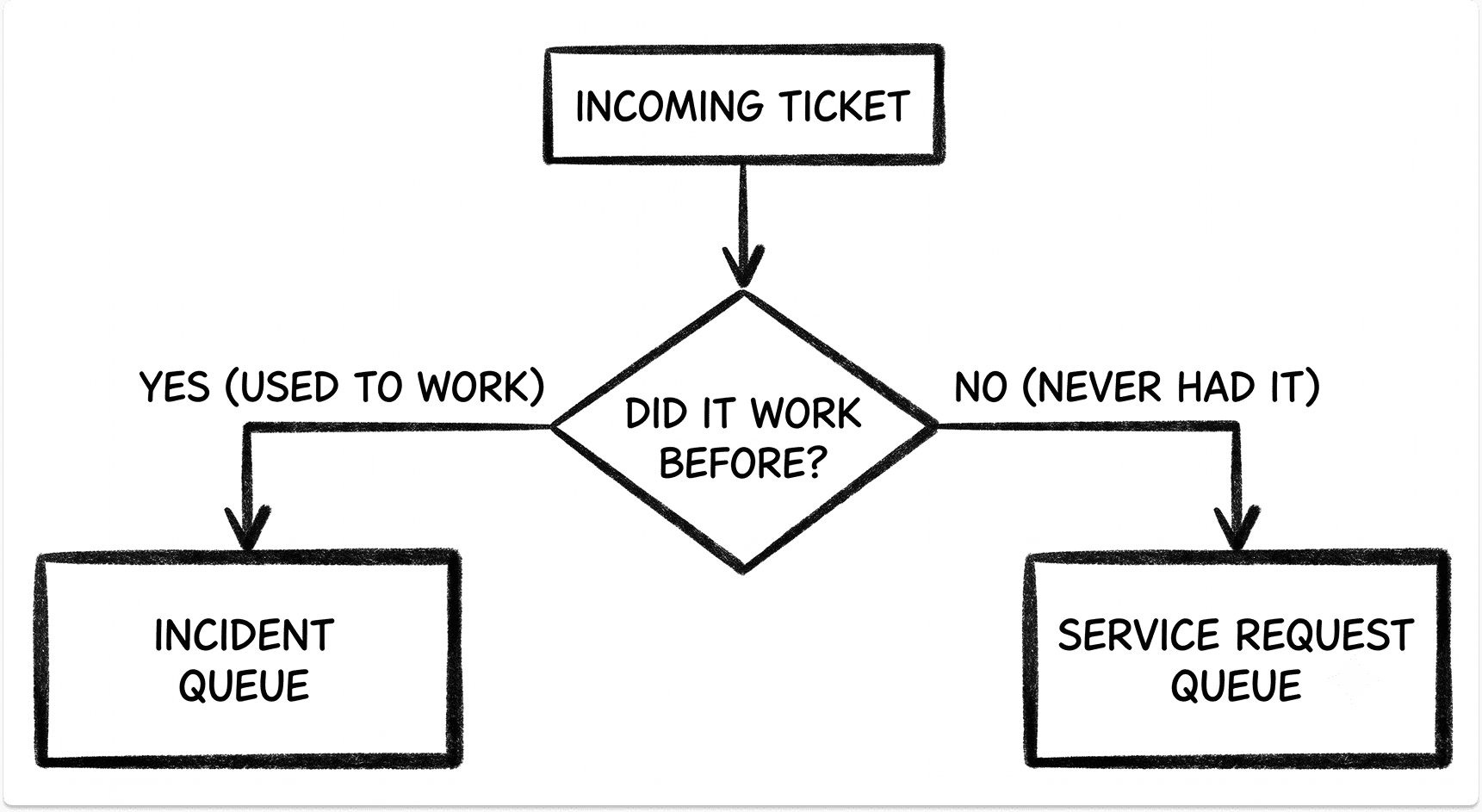
Ask one question of every ticket: did something that used to work stop working, or is someone asking for something they don't have yet? The first is an incident. The second is a service request.
The test resolves most tickets in seconds because it looks at the facts instead of the wording. My laptop is broken and I need a new laptop can describe the same situation or two very different ones. The question cuts through the phrasing.
One refinement matters. Used to work really means is supposed to work for this person. Software that has never worked for one user, while it works for everyone else, still fails a service they're entitled to. That's an incident, unless you find they were never provisioned, which makes it a request.
The split is younger than many people assume. Under ITIL v2, all user issues and requests were grouped together as incidents. ITIL v3 separated them and added a dedicated process for requests.
The separation exists because the work needs different handling: incidents need fast restoration, while requests need predictable fulfillment and sometimes an approval.
Incidents also tend to carry the volume. In MetricNet's desktop support benchmark, incidents outnumbered service requests in every industry measured. The data dates from 2012, so read it as a ratio and not a current count.
Why change records work differently from incidents, requests, and problems
Incidents, requests, and problems describe how work arrives at your team. Something broke, someone wants something, or something keeps breaking. A change is a different kind of record. It documents something your team is doing to the environment.
Putting all four in one dropdown implies a symmetry that doesn't exist. A service ticket asks what does this person need? A change record answers what did we alter, when, and who approved it?
The confusion peaks during emergencies. An emergency change and a priority one incident often happen on the same night, and they're still two records. The incident tracks restoring service for the people affected. The emergency change tracks what you modified in production to get there. Link them, and keep them separate.
One overlap is worth naming before someone raises it. A standard change, such as adding a user account or applying a patch in its window, often arrives through the request queue.
Splunk notes that standard changes are frequently handled by the service request process. The model still holds: the request records how the work arrived, and the change records what altered production.
Change control should stay proportional. My rule: change records cover production only. Standard changes get approved once and then run without further sign-off. Everything else gets a short risk note and a backout plan, and a printer swap never needs a twelve-page document.
The evidence supports a light touch. ITIL 4 introduced a change authority role that can be a delegated team, a peer reviewer, or an automated pipeline, to address the common assumption that every change goes to a CAB.
DORA's 2019 research found that organizations requiring formal external approval were 2.6 times more likely to be low performers. DORA also found no evidence that heavier review lowered change failure rates. DORA studies software delivery, so apply the finding to infrastructure change with some care.
Change records still matter. Uptime Institute's 2025 outage analysis found that 85% of human-error outages came from staff not following procedures or from flawed procedures. Its 2026 report says procedure failures remain the leading driver. A light process people follow beats a heavy one they route around.
Incident or request? Twelve tickets IT teams actually argue about
The one-question test handles the easy tickets. These twelve are where queues stall and arguments start. Each has a defensible call.
Password and MFA resets look like the most routine request on the desk, and attackers know it. The joint CISA advisory on Scattered Spider, updated with FBI findings through June 2025, documents the group impersonating employees to persuade help desk staff to reset passwords and move MFA to attacker-controlled devices.
Infosecurity Magazine's analysis recommends extra verification before any MFA reset and escalation before anyone resets an administrative account.
That's the routing argument at its sharpest. Calling a reset a request is correct. The verification step attached to that request is what keeps it from becoming a breach.
The vendor outage matters for a different reason. When a faulty CrowdStrike update crashed an estimated 8.5 million Windows devices in July 2024, by Microsoft's count, the fix came from the vendor. Every affected organization still had an incident to run. Log one parent incident, link each user ticket to it, and record the vendor's case reference.
You'll see this case often. Uptime's 2026 analysis found that third-party providers accounted for about two-thirds of publicly reported outages across nine years of tracking.
The training ticket is the one no framework settles for you. When new hires keep logging tickets because nobody showed them the software, the ticket is real and the cause sits outside IT. Answer it, tag the pattern, and take the numbers to the business owner.
The data says this demand is substantial. The HappySignals 2026 benchmark, built on 1.77 million employee responses, found training drives 18.4% of how employees rate IT overall. User guidance was also the most common theme in feedback about enterprise applications.
Who should classify a ticket: the requester describes, triage decides
Put incident in a portal dropdown and everything becomes an incident. That's a reasonable reaction from the person reporting it. Anything that stops their work feels broken, and anything they need feels urgent, so a user-chosen type drifts toward whatever gets the fastest response.
That drift damages your data quietly. The queues look clean and the SLA reports look fine, and none of it describes reality.
The fix is a division of labor. The requester describes what they need in their own words. The mapping behind the portal and the analyst at triage decide the classification from the facts.
The tool vendors design for exactly this. Atlassian's guidance for Jira Service Management tells admins to phrase request types the way a customer would and avoid specialist terms.
Each request type then sorts automatically into the right queue and work category. If you run JSM, check what it can't do out of the box before you design around it.

Triage still has to catch what the mapping misses. MetricNet describes tickets that arrive saying only computer broken, filed under other, and notes this isn't unusual.
Intake quality matters because of where tickets come from now. In the HappySignals data, the portal carried 44.2% of incident submissions and produced the most perceived lost time of any channel: 4 hours 26 minutes per incident, against 2 hours 14 minutes by phone.
I haven't found a credible published figure for how accurately users classify their own tickets. The numbers that circulate come from vendor blogs without methodology, so I won't quote one.
When a classification turns out wrong, record the correction. ServiceNow builds this in: an agent who finds an incident is really a catalog need can create a linked request from the incident. Keep that trail, because your reclassification rate tells you which request types need rewriting.
One related rule: priority gets calculated from impact and urgency, and the requester never sets it directly. An incident logged as affecting one person that turns out to affect 1,500 has to move on the facts. How to build that calculation is a topic for its own article.
When to raise a problem record instead of logging another incident
An incident gets people working again. A problem record asks why it broke and how to stop it breaking again. Without a problem practice, you restore the same outage repeatedly, each time as a fresh incident, and nobody sees the pattern.
Agree the triggers before you need them. Google's SRE book makes the same point about postmortems: set the criteria before an incident, so nobody debates it mid-outage.
Its common triggers include user-visible downtime beyond a threshold, any data loss, on-call intervention such as a rollback, long resolution times, and monitoring failures. The book warns that without a formal learning process, incidents can keep recurring indefinitely.
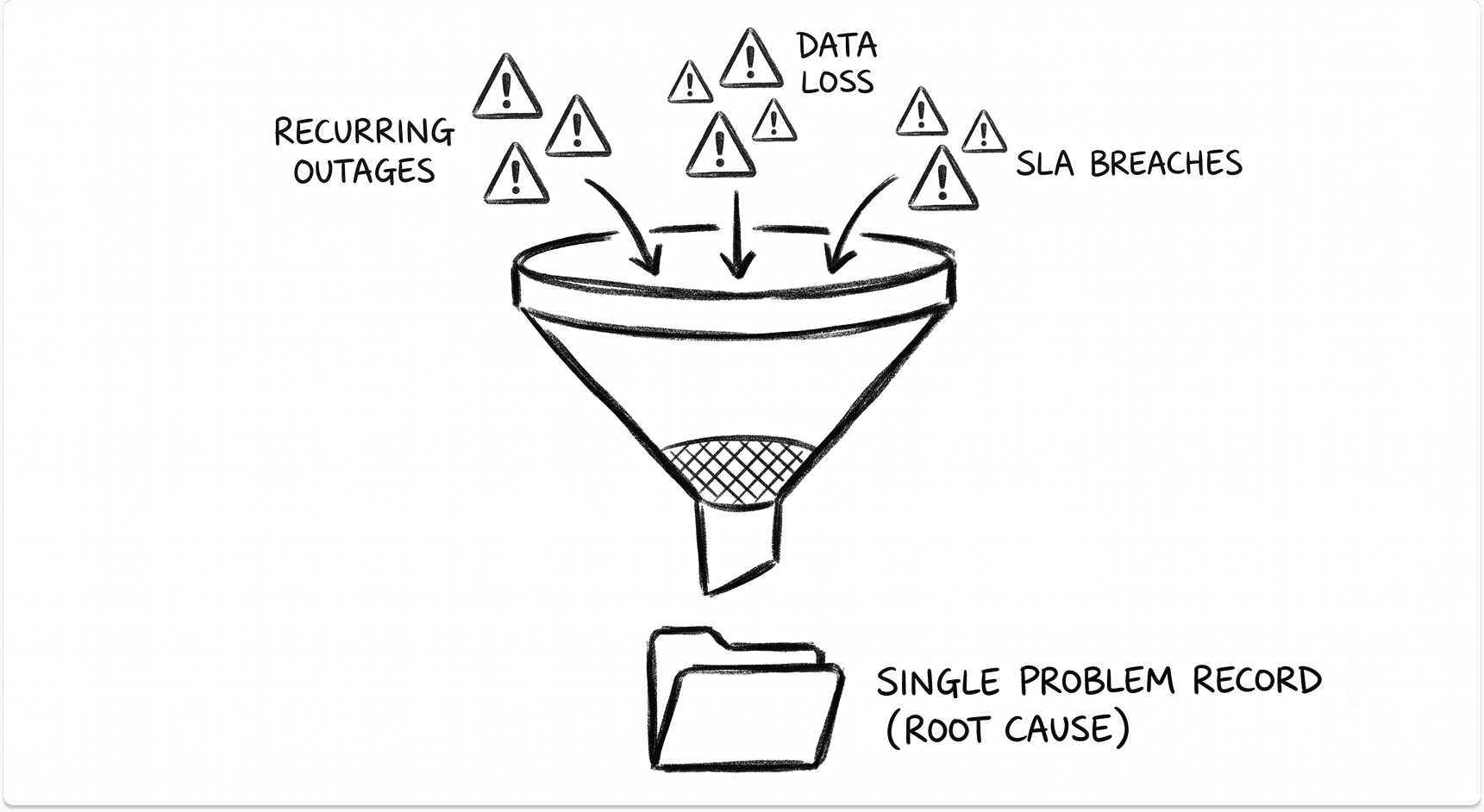
A problem record is for root cause and prevention. Once you know the fix and need to apply it to production, that work becomes a change. MetricNet frames problem management as incident prevention, the tier to the left of self-service, because the cheapest ticket is the one that never gets logged.
Focus your effort where it pays. HappySignals' 2025 benchmark found that 13% of tickets cause 80% of lost time. Your first problem records should come from that slice.
Emergency change vs normal change: keeping the emergency category small
An emergency change is a production modification that can't wait for normal approval because something is down or failing now. Keep the category small with a hard gate. Emergency changes exist only to fix production issues at priority one or two, and everything below that waits for the schedule.
The most useful refinement is a reason code. Last-minute changes happen in two situations that look identical in a change log. Urgent means you knew it would break and didn't schedule it. Emergency means it's down right now.
Keep both in the same queue with different tags. After a couple of months, you'll know whether your team has a planning problem or is fighting real fires. Each needs a different fix.
The emergency count is one of the few numbers that tells you whether your process is working. If it hasn't fallen after ninety days, the process hasn't taken hold. DORA added a comparable signal in 2024, deployment rework rate, which measures the share of deployments that are unplanned fixes.
Emergencies usually begin with someone getting paged. If your on-call setup is part of the friction, see how PagerDuty, Splunk On-Call, and Grafana OnCall compare.
I haven't found a credible industry benchmark for what share of changes should be emergencies. The published targets I've seen come from KPI lists without methodology. Baseline your own count and watch the direction.
How many ITSM queues you need at your size
For a small team, two queues is usually right, and four is overhead. When the same few people triage and resolve everything, separate problem and change queues add process without adding clarity.
What a small team needs is simple:
- incidents and requests in separate queues
- lightweight change records for production
- a spreadsheet listing what you own, who owns it, and what it depends on
That spreadsheet is a perfectly good first CMDB.
Scale by workload, not headcount. MetricNet argues that staffing should follow ticket volume because no two user populations generate the same demand. Its desktop support data showed averages from about 0.4 to 1.1 tickets per seat per month across industries.
Use the tool you already own and make people use its statuses. New software won't create a process for you.
When you do outgrow what you have, these comparisons are the next stop:
- ServiceNow, Jira Service Management, and Freshservice for the mid-market choice.
- ServiceNow, BMC Helix, and JSM for larger estates.
- Dedicated IT asset management tools once the asset spreadsheet stops scaling.
What misclassified tickets cost you
Misclassification rarely announces itself. It shows up in four places:
- SLA reports that describe nothing
- priority one counts inflated by tickets that were never outages
- recurring failures hidden because each was logged separately
- change records that can't say what altered the environment before the last outage
That last gap is expensive. In Uptime's survey data, 57% of respondents said their most recent major outage cost more than $100,000.
The most measurable cost is the handoff. A ticket in the wrong queue gets reassigned, and every reassignment costs the employee time.
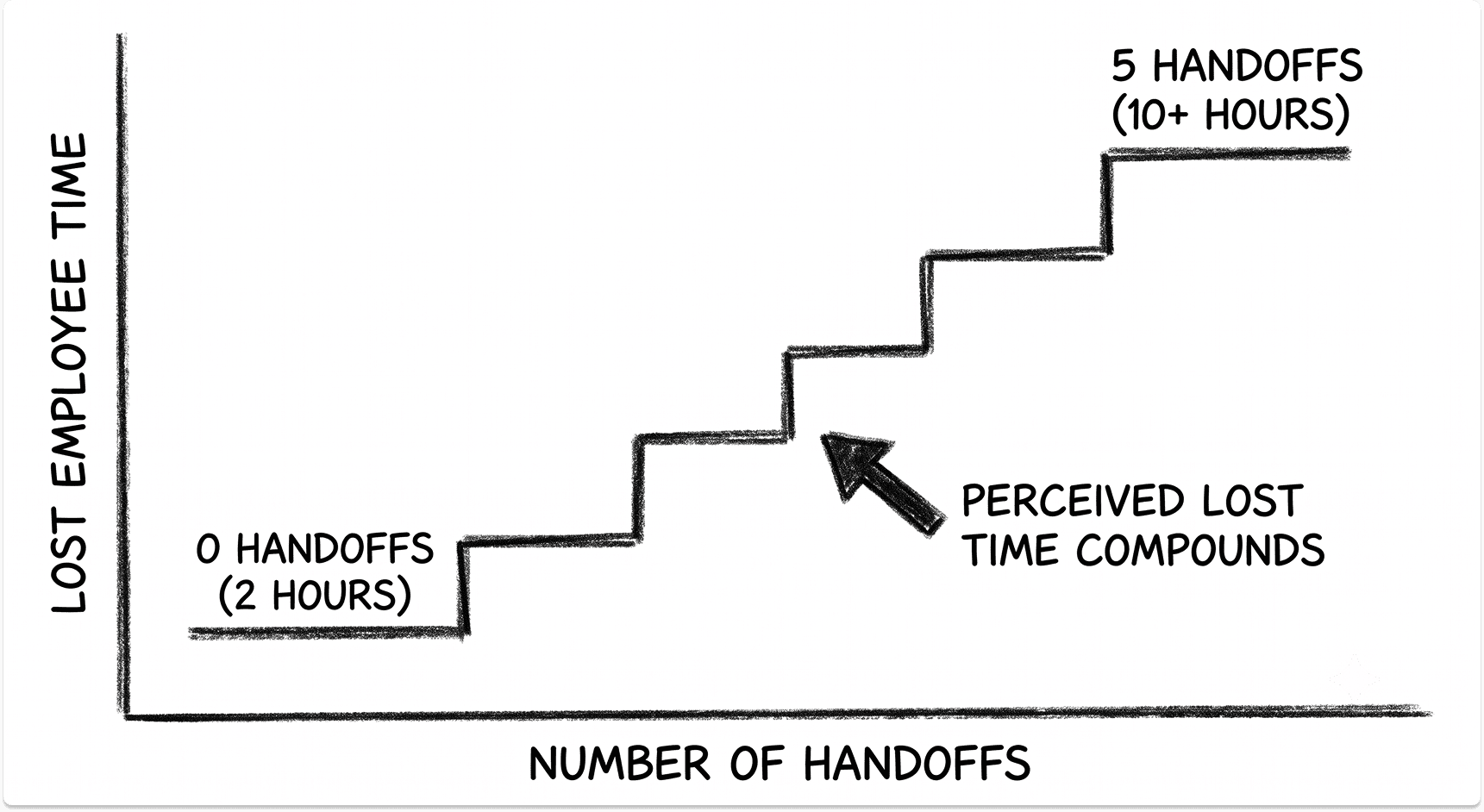
HappySignals itself notes that one purposeful handoff to the right team is fine, and the damage comes from handoffs that add nothing. Tickets with two or more reassignments made up 13.3% of its volume. These are perceived figures collected at resolution, so they show direction and scale more than precise hours.
Cost per ticket compounds as well. In a 2020 piece, MetricNet's Jeff Rumburg put fully loaded North American costs at roughly $22 for a level 1 ticket, $70 at level 2, $100 at level 3, and about $600 once vendor support gets involved. Check those against your own numbers before you quote them.
Misclassification also undermines service levels. The fastest way to stop every function claiming its tickets deserve priority one is a single standard SLA matrix, signed off by senior leadership. The SLA management guide covers setting targets that hold up, and none of them mean much if the tickets underneath are mislabeled.
How long to spend on classification before you start
The advice that holds up best is also the least exciting: don't spend three months on this. Get the queues working, then argue.
- Skip the taxonomy until the queues exist. Two working queues teach you more than a category tree built in a workshop.
- Use the tool you already own. Enforce the statuses before you shop for software.
- Measure two things for ninety days. Track time to first response on incidents and the emergency change count split by reason code. If neither moves, the rollout didn't take.
- Train the leads first. A foundation-level ITIL certification for the people running the queues is enough to start. The rest of the team needs the one-question test and the twelve cases above.
- Argue about vocabulary afterward, if at all.
You should be able to say we fixed response times and cut emergency changes without mentioning ITIL once.
Looking to move to an ITSM platform?
If linking incidents, changes, and assets by hand has stopped working, find and match with vetted ITSM platforms or managed service desk providers that fit your team's size. Your information stays anonymous until you choose to talk, and it's always free to you.
FAQ
What is the difference between an incident and a service request?
An incident means something that should work for a user has stopped working or degraded. A service request means someone needs something they don't have yet, such as access, software, or equipment. The distinction matters because it decides the queue, the clock, and whether an approval is needed.
Is a password reset an incident or a service request?
A routine password reset is a service request, and one of the most security-sensitive requests a service desk handles. Verify the caller's identity before resetting anything, and escalate resets for administrative accounts. If everyone is locked out because the identity provider is down, the individual tickets belong under a single incident.
When should an incident become a problem?
Raise a problem record, linked to the incidents, when the same failure recurs, when the team keeps applying the same workaround, or when service was restored without anyone knowing the cause. Agree the triggers in advance so nobody debates them during an outage.
Is a change the same as a service request?
No. A request describes how work arrived, and a change records a modification to production. A request can trigger a change, such as a firewall rule for a new vendor, and in that case you keep both records and link them.
What is a standard change?
A standard change is a low-risk, repeatable modification to production with a known procedure, approved once in advance so it can run without further sign-off. Adding a user account or applying patches in an agreed maintenance window are common examples.
Should users choose the ticket type in the portal?
Users should choose what they need in plain language, and the portal mapping plus triage should decide the classification. When users pick the type directly, tickets drift toward whichever type gets the fastest response, and your reporting stops describing reality.
How many ITSM queues do I need?
Start with two: incidents and requests, plus lightweight change records for production. Add problem records when failures start recurring, and split queues by resolver group when several teams resolve tickets and reassignments climb.