Datadog vs. New Relic vs. Dynatrace: Best APM Tool for Enterprise IT (2026)
Datadog vs. New Relic vs. Dynatrace compared for 2026. How the three APM tools differ on features, pricing model, and best fit, so you can pick the right one for your team.

In 2026, keeping your software running is harder than ever. It is not enough to just know that your website is down. You need to know exactly why it crashed and how to fix it fast.
This is where observability tools come in. These tools watch your servers and applications to find problems before your customers do.
For IT leaders, the choice usually comes down to three big names. You have Datadog, which is famous for being easy to use. You have New Relic, which is known for its fair pricing model. And you have Dynatrace, which uses advanced automation to solve problems for big companies.
This guide compares these three tools in simple terms. We help you decide which one is right for your team.
Datadog, New Relic, and Dynatace are all great APM providers but you might be leaving better options at the table by not being aware. We can understand your requirements and give you a shortlist of vendors that fit.
The Main Difference
To choose the right tool, you first need to understand the main goal of each company. They all do similar things, but they do them for different reasons.
Datadog
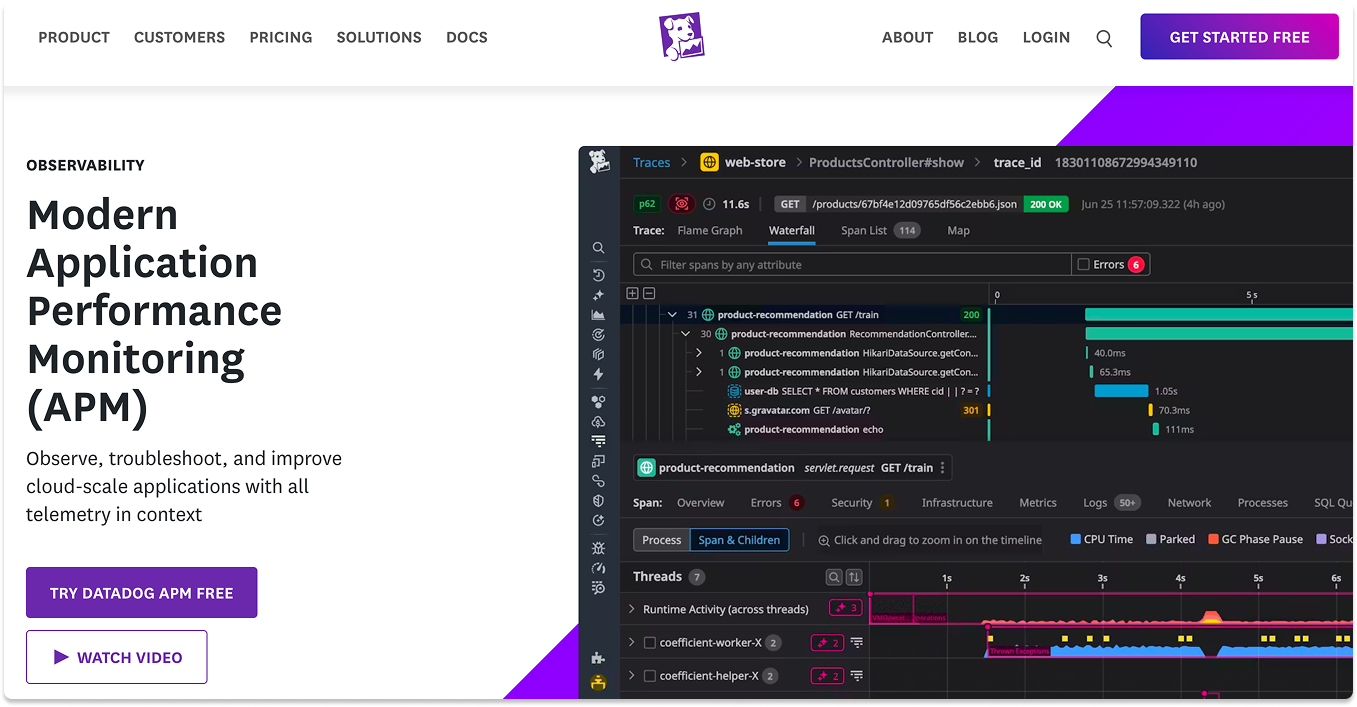
Datadog focuses on user experience. They want to give you a single, beautiful screen where you can see everything. Their goal is to make monitoring easy and accessible for everyone, not just experts. It connects your infrastructure (like servers) with your applications (like your website code) seamlessly.
New Relic
New Relic focuses on data freedom. They want you to collect all your data without worrying about the cost. Their goal is to be the central place for all your logs and metrics. They charge you based on how much data you store, not how many servers you have. This makes them a great choice if you have a lot of data but a limited budget.
Dynatrace
Dynatrace focuses on automation. They want to remove the human work from finding problems. Their goal is to tell you exactly what is wrong so you do not have to hunt for it. They use a smart program called Davis AI to find the root cause of an issue automatically.
Datadog
Datadog’s superpower is connection. It assumes that your servers, databases, and code are all part of one big story. It is the best choice if you want to break down walls between your developers and your operations team.
Features & Benefits
- Bits AI (Your New Teammate): In 2026, Datadog added "Bits AI." This isn't just a chatbot. It scans your error logs and documentation to suggest fixes. If a server crashes, Bits might say, "This looks like a known memory leak in v2.4. Recommended action: Roll back to v2.3."
- Infrastructure & App Correlation: This is the killer feature. You can look at a slow database query and instantly click a button to see the health of the specific server hosting that database at that exact second. You don't have to switch tabs.
- The Marketplace: Datadog has hundreds of integrations. Do you use a niche tool like Twilio or MongoDB? Datadog likely has a pre-built dashboard for it that you can install in one click.
Limitations
- The "Tagging" Cost Trap: Datadog charges for custom metrics. If a developer accidentally writes code that sends a metric for every single user ID (e.g.,
login_time:user_123), Datadog treats each user as a new billable item. Companies have woken up to bills $50,000 higher than expected because of this single mistake. - Support Costs: To get fast help, you often have to pay for a premium support tier. The basic support can be slow, which is stressful during an outage.
New Relic
New Relic’s superpower is generosity with data. They realized that engineers hate having to choose which logs to keep and which to delete to save money. Their model encourages you to keep everything.

Features & Benefits
- All-in-One License: With New Relic, you don't have to buy “Log Management" or "Serverless Monitoring" separately. If you buy a license, you get access to 30+ tools immediately. This creates a playground for engineers to explore data without asking for permission.
- Data Plus: This feature lets you keep data for much longer (90 days or more) and query it faster. This is critical for banks or healthcare companies that need to audit what happened months ago.
- OpenTelemetry Native: New Relic plays very nicely with open-source tools. You can use free, industry-standard collectors on your servers and just send the data to New Relic. This protects you from being locked in to their software forever.
Limitations
- Expensive User Seats: While storing data is cheap, letting humans look at it is expensive. A "Full Platform" user license costs a lot. You often have to restrict access, giving full power only to senior engineers and "read-only" access to everyone else.
- Learning Curve: To get the most out of New Relic, you need to learn their query language (NRQL). It is powerful, but it takes time to master. New employees might feel lost for the first few weeks.
Dynatrace
Dynatrace’s superpower is certainty. It doesn't guess; it knows. It builds a real-time map of your entire IT empire to understand exactly how everything fits together.

Features & Benefits
- Grail (The Data Engine): Most tools have to organize data before they store it (indexing), which is slow. Dynatrace’s Grail technology stores raw data and organizes it when you ask a question. This allows you to ask complex security questions instantly, like "Show me every user who accessed this file in the last year."
- Davis AI: This is widely considered the smartest AI in the industry. It doesn't just alert you to a problem; it finds the root cause. It will tell you, "The website is slow because the Marketing Service is spamming the Database”. It saves you from waking up 10 different people to check their systems.
- Session Replay: You can watch a video-like replay of a real user's session. You can see exactly where they clicked, where they got frustrated, and where the error happened.
Limitations
- Complexity: Dynatrace is a heavy-duty tool. It puts a lot of information on the screen. Small teams often find it overwhelming and too much for simple apps.
- High Entry Price: There is no cheap way to start with Dynatrace. It is an enterprise investment meant for companies that have dedicated budgets for observability.
Datadog vs. New Relic vs. Dynatrace: how each pair compares
Most teams are choosing between two of these tools, not all three. Here is the short version of each matchup.
Datadog vs. New Relic
Datadog wins on interface and on connecting infrastructure and application data in a single view. New Relic wins on cost when you send large volumes of data, because it bills on data and user seats rather than per server. Choose Datadog if you want the smoothest day-to-day experience and the widest set of integrations. Choose New Relic if your data volume is high and you can limit how many people need full access.
Datadog vs. Dynatrace
Datadog is faster to adopt and better suited to cloud teams that want one clean dashboard. Dynatrace is stronger in large, complex environments, where its Davis AI finds the root cause of a problem on its own. Choose Datadog if speed and usability matter most to your team. Choose Dynatrace if an outage is expensive and you need automated answers instead of a wall of alerts.
New Relic vs. Dynatrace
New Relic is the better value for data-heavy engineering teams that want to keep everything and query it themselves. Dynatrace is the better fit for enterprises that want the platform to diagnose problems automatically across mixed cloud and legacy systems. Choose New Relic to keep costs down on high data volumes. Choose Dynatrace when automated root-cause analysis is worth paying a premium for.
How to Decide?
Scenario 1: The startup obsessed with speed
Situation: Your team deploys code 10 times a day. You use AWS Lambda, Kubernetes, and React. You value speed and want developers to fix their own bugs.
- Best Choice: Datadog.
- Why: Its user interface is friendly enough that developers will actually use it. The "Bits AI" feature acts like a senior engineer, helping junior devs fix operational issues without escalating to management.
Scenario 2: Budget-conscious teams
Situation: You are a video streaming service. You generate terabytes of logs every hour. Paying "per log" (like in Datadog) would bankrupt you, but you need to see everything to debug issues.
- Best Choice: New Relic.
- Why: You can dump all those heavy logs into New Relic for a low "per gigabyte" price. You can grant access to a few key engineers to keep seat costs low, getting enterprise-grade visibility on a startup budget.
Scenario 3: Large enterprise
Situation: You are a global bank. You have old mainframe computers processing transactions and new cloud apps for customers. A 5-minute outage costs $1 million.
- Best Choice: Dynatrace.
- Why: Humans cannot manually check a mainframe and a cloud server fast enough to find a connection. Dynatrace’s Davis AI does this automatically. The high cost of the tool is tiny compared to the cost of one major outage.
Scenario 4: Teams prioritizing security
Situation: You are a healthcare provider. You need to know if a hacker is trying to exploit your app right now. You want your monitoring tool to double as a security guard.
- Best Choice: Dynatrace (with Grail).
- Why: Dynatrace’s Grail technology allows for instant security forensics. It can detect attacks (like SQL injection) in real-time and block them, merging "Security" and "Operations" into one safe view.
Closing Thoughts
Choosing an observability tool is a big decision. It changes how your team works every day.
- Choose Datadog if you want a tool that is easy to use and helps your team move fast.
- Choose New Relic if you want to store all your data in one place for a fair price.
- Choose Dynatrace if you have a complex environment and need AI to do the hard work for you.
Final Advice: Before you buy, look at your current data usage. If you are paying for logs you never look at, you are wasting money. Pick the tool that matches how your team actually works.
Read more: Top 4 Threat Detection and Response Vendors to Choose in 2026, Top 4 Best Zero Trust Security Vendors and Solutions
Looking for APM vendors?
Talk to us about your requirements and we will find APM vendors that fit. We will give you a shortlist and prep the vendors so you don't have to start the conversation from scratch.
FAQ
Which tool is the cheapest?
It depends on your setup. If you have many servers but few users, New Relic is often cheaper because they do not charge per server. If you have few servers but many users, Datadog might be cheaper. Dynatrace is usually the most expensive upfront but can save money by replacing multiple other tools.
Can I use Datadog for on-premise servers?
Yes, Datadog works on physical servers in your own data center. However, it is built primarily for the cloud. If you have a lot of very old legacy systems, Dynatrace might be a better fit.
What is OpenTelemetry?
OpenTelemetry is a standard way to collect data. It is like a universal language for monitoring. New Relic supports this very well, which means you can switch tools easily in the future without changing how you collect data.
Is Dynatrace hard to learn?
Dynatrace is easy to install because it does most things automatically. However, the software itself is very powerful and complex. It takes time to learn how to use all the advanced features effectively.
Which tool has the best AI?
They use AI differently. Datadog uses AI to spot weird trends and summarize incidents. Dynatrace uses AI to find the specific cause of a problem, like a broken database connection. Dynatrace's AI is generally considered more advanced for solving deep technical issues.
Which is better, Datadog or New Relic?
Datadog is better if you want the cleaner interface and the tightest link between infrastructure and application data. New Relic is better if you send a lot of data and want to control cost, since it charges for data and users rather than per server. For most cloud-first teams the deciding factor is data volume: high volume favors New Relic, broad integrations and ease of use favor Datadog.
Which is better, Dynatrace or New Relic?
Dynatrace is better for large enterprises that want the platform to find the root cause of problems automatically across complex or legacy systems. New Relic is better for engineering teams that want to keep all their data affordably and dig into it themselves. Dynatrace leans on automation; New Relic leans on self-service and value.
Is Dynatrace worth the cost for large enterprises?
For a big, mixed environment where downtime is expensive, usually yes. Its Davis AI cuts the time to find a root cause, which matters when a single outage costs more than the tool. For small teams or simple apps, it is often more power and more cost than you need.
Which APM tool is best for Kubernetes?
All three monitor Kubernetes well, so the deciding factor is how each one bills for it. Datadog's per-host model can spike if agents are misconfigured and every pod bills as a host. New Relic bills on data, so container churn matters less. Dynatrace bills on host memory per hour. Match the billing model to how your clusters scale.
Are Datadog, New Relic, and Dynatrace the only APM options?
No. They are three of the strongest, but the right tool depends on your stack, your data volume, and your budget, and there are credible alternatives worth shortlisting. It helps to compare a few against your actual requirements before committing, rather than defaulting to the biggest name.